









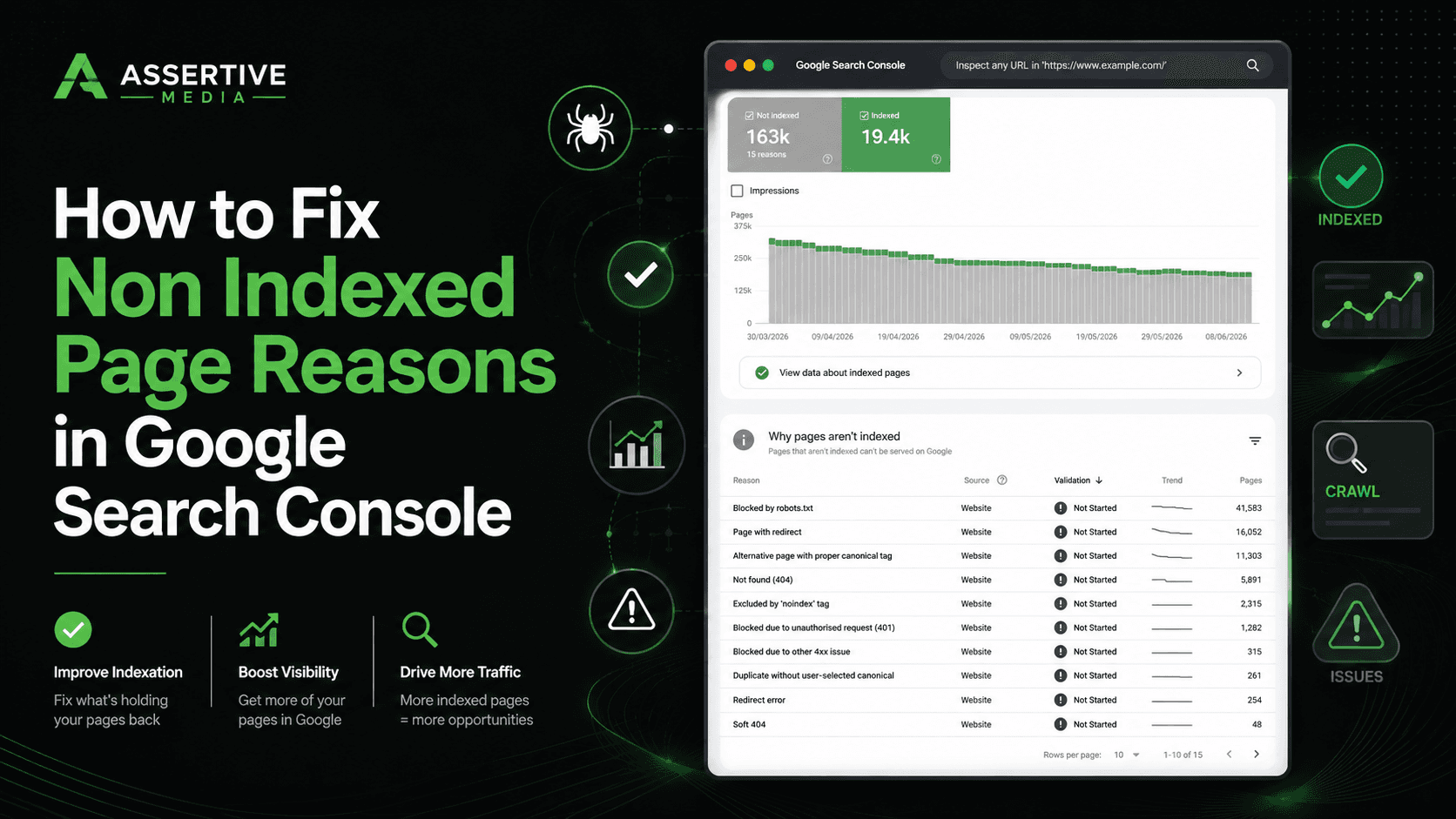

Google not indexing your websites content? finding more and more pages appearing in "non indexed" inside Google Search Console? Seeing trends like this?
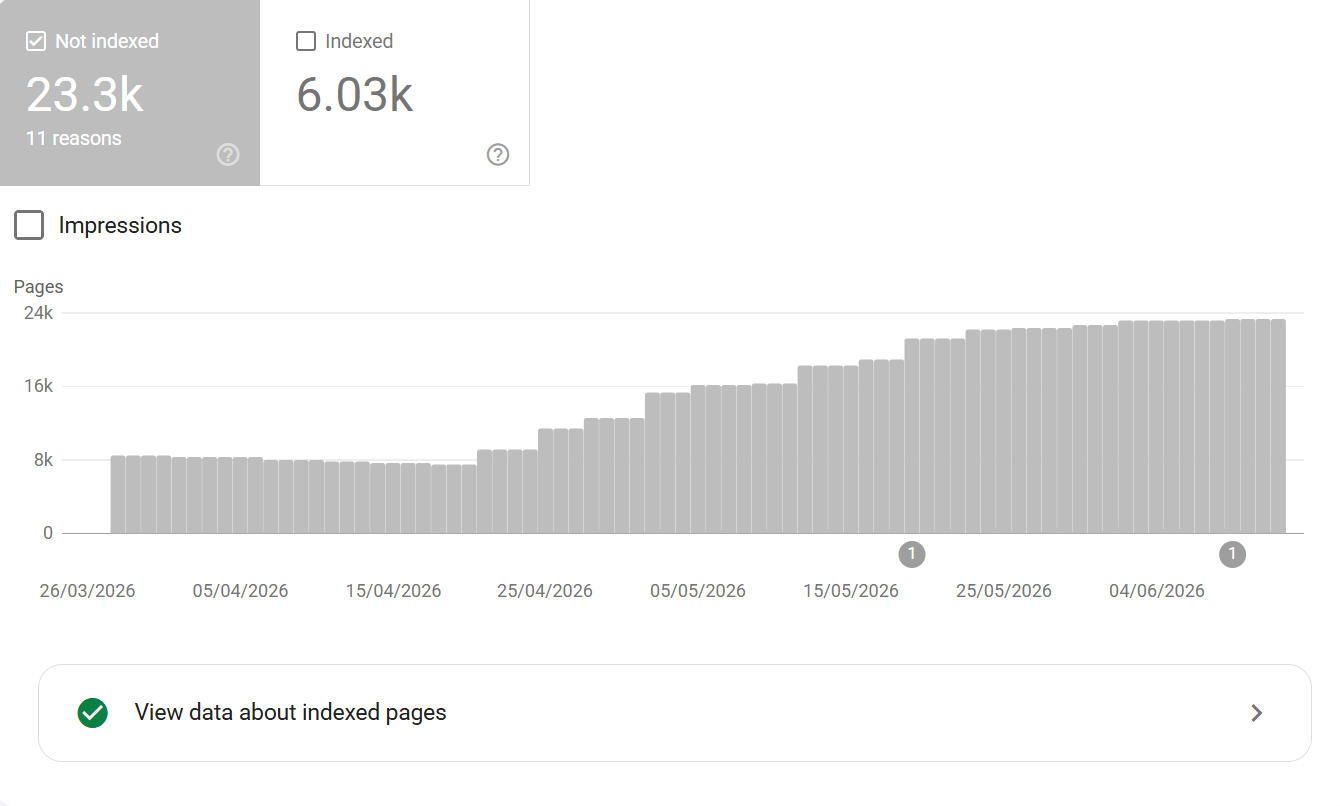
Well you aren't the only ones - a LOT of the SEO community have been seeing a surge in Google dropping pages from the index.
Whilst we've seen things in the past relating to large-scale de-indexation (primarily around the time of September 2023's HCU launch), we're seeing a far more aggressive "de-indexation" or "refusal to index content" from Google, outside of what we're typically used to seeing.
Now these 2 things need to be seperated because they are different issues.
Now, before we go into addressing non indexed page reasons in Google, I highly recommend you watch this video, also, it's important to understand the difference between Google dropping indexed URLS vs it refusing to index new URLS.
So, the 2 KEY indexing things to pay attention to:
Google's Mass De-Indexation
SO, what we're seeing with Google is large-scale deindexation of content happening across a lot of sites. A lot of what we're seeing really ties in with Google's move to reducing indexing burden - if Google isn't going to serve it and it's not of any perceived value then there is absolutely no point Google maintaining an index for the page.
The theory is:
Google's move to shrink its overall indexing and processing burden may be down to cost saving
Google's heavy AI push (AI overviews, AI mode - is less reliant on the search index than it used to be)
Google may be striving to reduce overall index processing & data storage costs
If Google reduces its indexing burden it can save the corporate giant cash which keeps investors happy. The logic is simple:
Content that doesn't meet more stringent indexing criteria will see more de-indexing
Content that isn't unique or doesn't offer something of added value and doesn't meet quality criteria is also more likely to be dropped
Content that's stagnant, outdated or is now factually wrong may also be subject to de-indexing
Content that doesn't meet typical E-E-A-T is more likely to be dropped
Broader loss of trust signals in a domain can see more content go through deindexing
Auxiliary pages that have no clear demand or unlikely to be served more likely to be dropped
Other content issues (YMYL, duplication, plagarised) also more likely to be dropped
Content with barely any internal linking less likely to maintain indexing state
Google Refusing to Index New Content
So this is the other issue, if Google isn't indexing newly produced content, this is a separate issue to Google dropping already indexed content. Refusal to index new content is generally going to be more than 1 factor behind it such as AI content generation, programmatic content generation, overall brand authority etc.
From what we can see, Google has become significantly more selective about what it indexes - things such as:
AI content - Google appears to be throttling down on indexing AI generated content, probably due to excess originality or not adding unique value where there is saturation of content in the same space
Thin content - Google used to index all content, even thin content, it appears on first pass indexing that if content is thin it's less likely to be of benefit to end users and doesn't get indexed
Content that's factually wrong - wrong or factually wrong content could pose a risk to end users, this is one of the reasons E-E-A-T / YMYL exist, if content is wrong or misleading it increases risk
Programmatic content - Google seems to be dealing with this more and more, some in the SEO community refer to this as "Mount AI or Mt AI" where we see third party tool snapshots from the likes of AHREFS, SEMRUSH, SISTRIX where sites show incredible growth in a short period of time before tanking
Unhandled canonicalisation - this can throw large volumes of non indexed pages, this is generally where things like parameterised URLS exist
Low domain trust - not always an issue, but more of an issue in niches where trust is even more weighted such as commerce, YMYL spaces i.e. finance, health or industries where E-E-A-T is more important
Spammy domain history / behaviours - if a domain has a history of this getting genuine content indexed may be harder
Things Google could use:
AI content detection methods using SBERT (Sentence-BERT) to identify generative AI content by analysing text embeddings. SBERT captures these semantics, allowing the system to catch AI-generated spam even when users attempt to bypass detection by heavily rewriting or paraphrasing surface-level words
Indexing snapshots - to see whether content generation at scale is happening (known by Google's index memory and page availability)
PageRank distribution - pagerank still flows through a domain mathmatically through pages
Domain link weighting
OK, so now, let's look at some of the most common reasons for non indexed pages in Google.
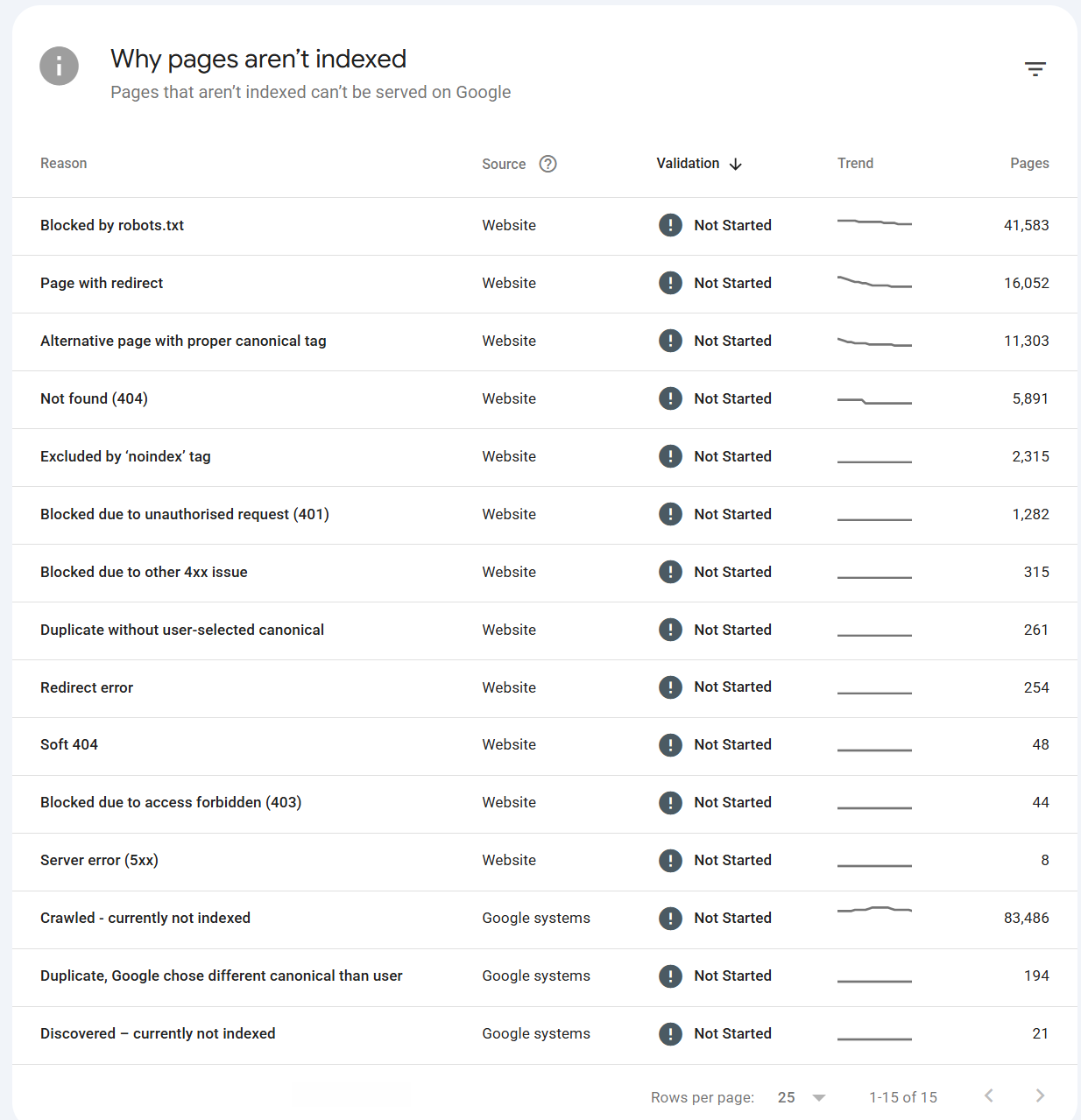
So let's run through the non indexed page reasons, give a top level summary of what the issue is and things you can do to fix it.
Blocked by robots.txt
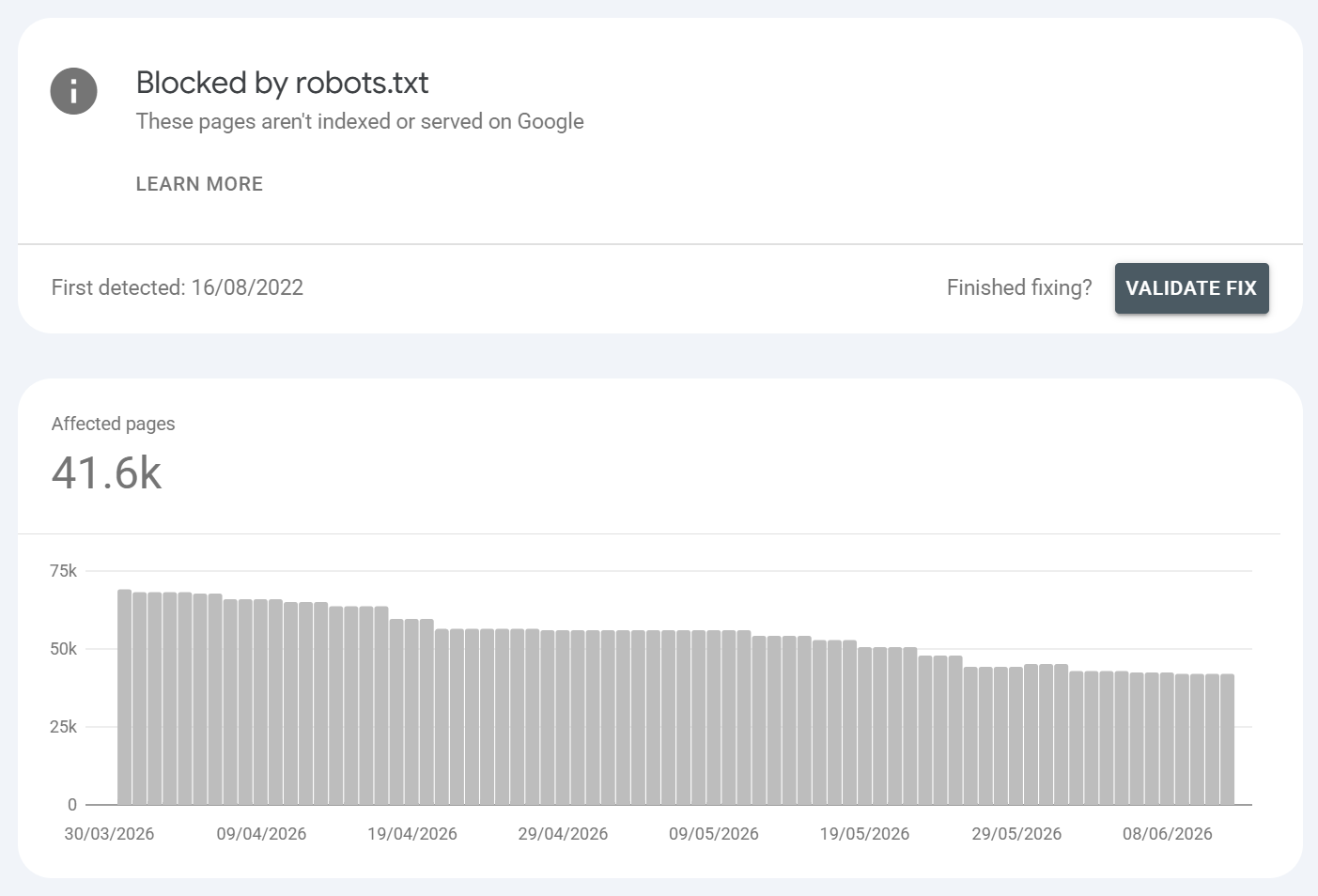
What is it?:
A robots.txt Disallow rule prevents Google from crawling the URL. (Note: blocked-but-linked URLs can still occasionally be indexed without content see Related Statuses.) So URLS blocked by robots.txt are known but not indexable (however, there are conditions where URLS blocked by robots.txt can still be indexed). Generally, sites managing their sub-folders or parameterised URLS will use robots.txt to control what is and isn't indexed to prevent SEO issues.
Common URLS found / Common causes:
Intentional blocking of admin, cart, internal search, faceted/parameter URLs
Parameterised URLS
Accidental over-broad disallow (
Disallow: /left from staging, can be catastrophic)Blocking CSS/JS that Google needs to render
CMS/plugin auto-generated rules
Example: /wp-admin/, /cart, /*?sort=; or the disaster case where a dev pushes a staging robots.txt blocking the whole site to production.
How to fix it?:
Audit
robots.txt; confirm every block is intentional - this is crucial in any SEO strategyNever use robots.txt to keep a page out of the index blocked pages can't be crawled, so Google can't even see a noindex tag. To deindex, allow crawling and use
noindexinstead - this is done via meta robots as opposed to robots.txtUnblock anything important (and any render-critical CSS/JS)
Test rules with the robots.txt tester / URL Inspection
What you should ALWAYS keep in mind here:
Robots.txt SHOULD ALWAYS return HTTP 200 on request - you can validate this in Google Search Console by going to settings >
and then under crawling go to ROBOTS.TXT
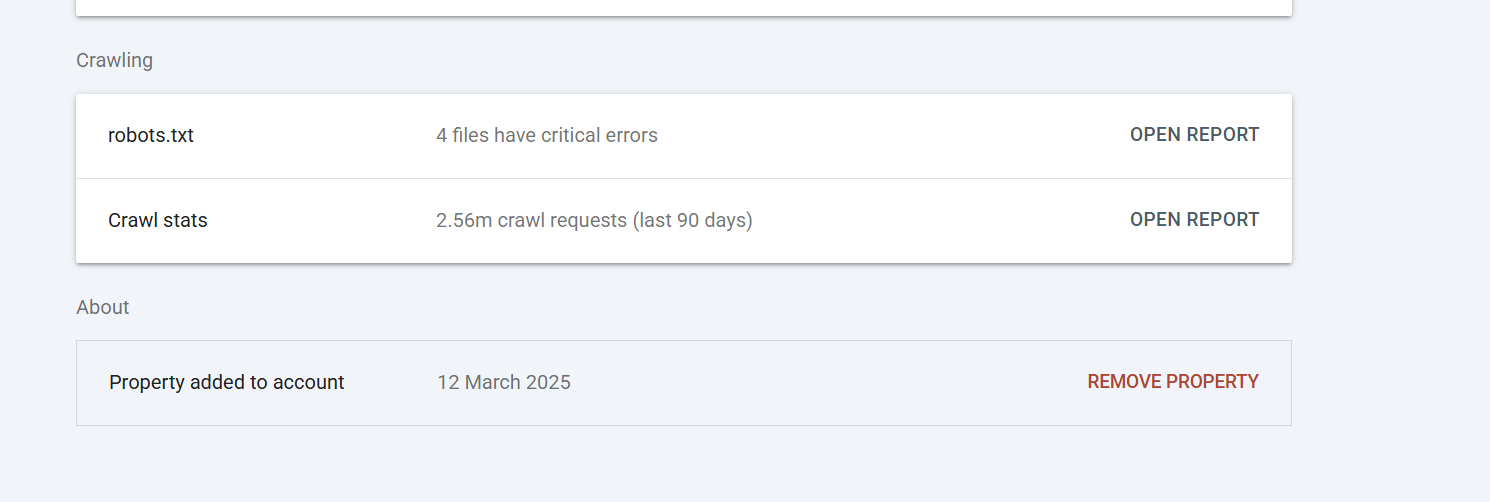
There you can see if there are any robots.txt issues -
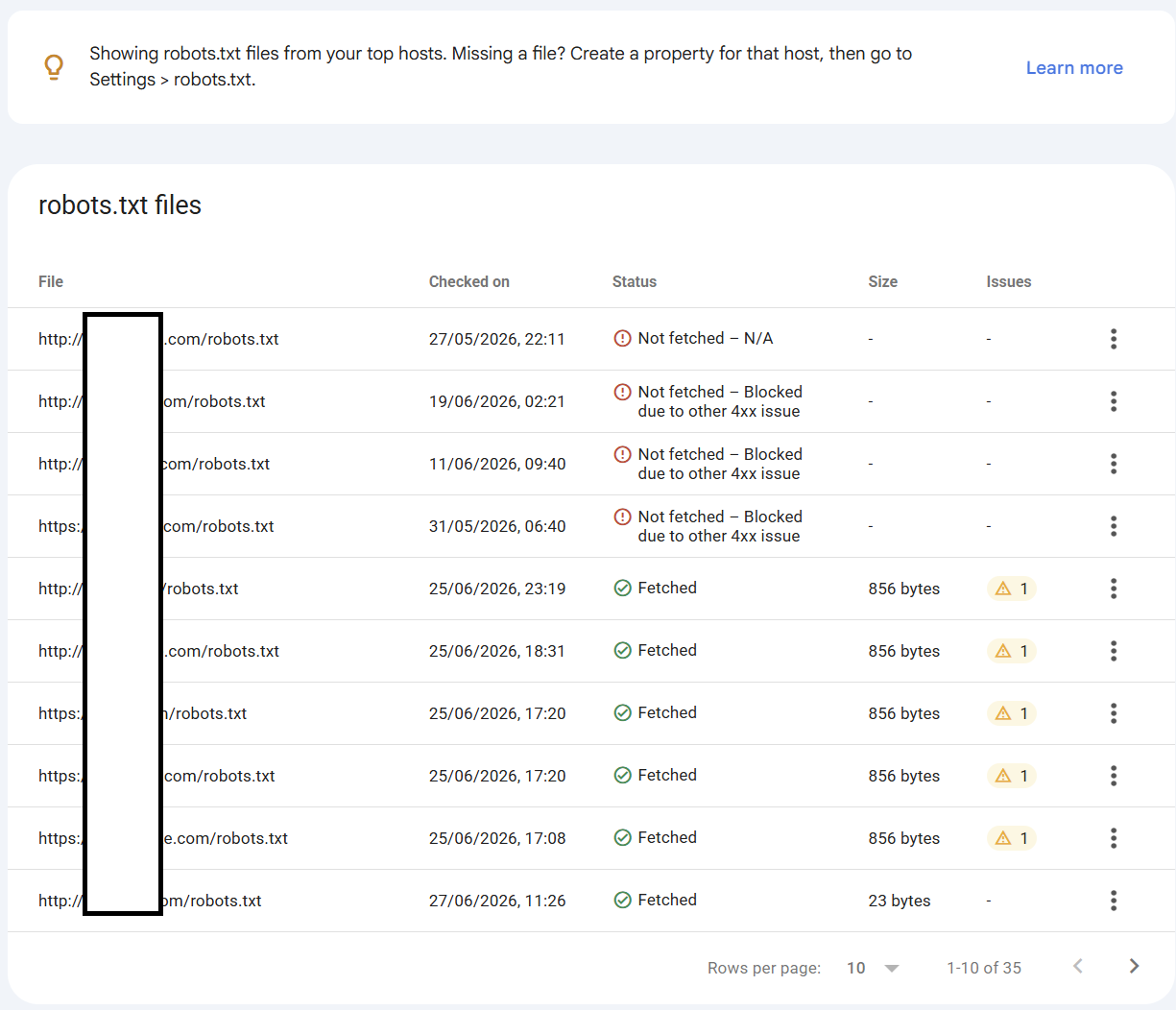
Anything that isn't fetchable will mean the rules of that robots.txt are not obeyed, which can have a significant impact on SEO.
Robots.txt should be used with CAUTION - I don't advocate a lot in SEO but getting robots.txt wrong can have a catastrophic impact on website indexing and organic performance. When making changes to robots.txt it's always important to validate your rules to ensure they are valid and not broken.
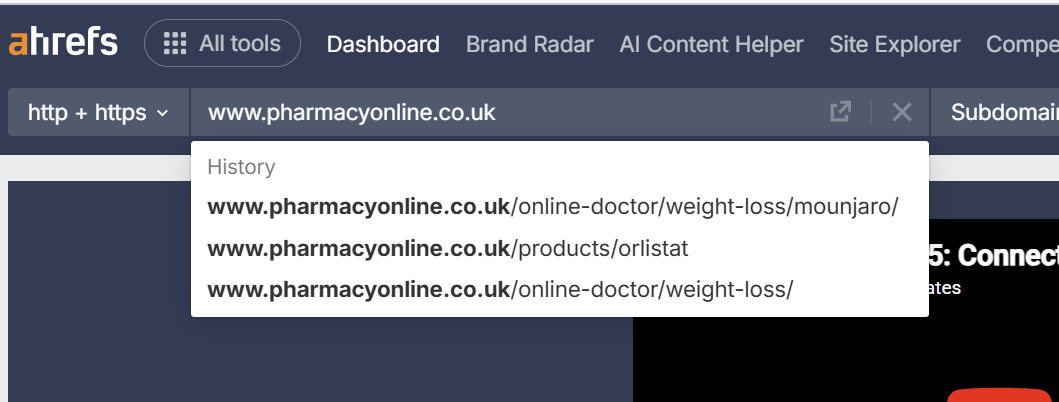
Always check to see if URL blocking is costing link equity - You can perform this check quickly and easily by going to AHREFS and doing the following:
Enter your domain:
Left hand menu select BACKLINKS >
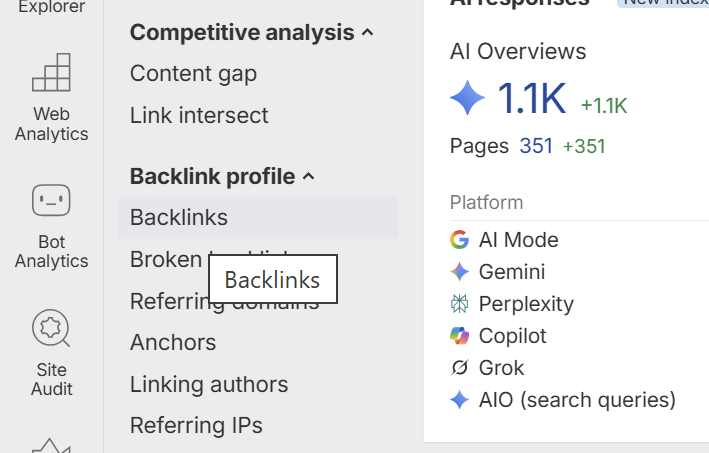
Then to the left click + ADD FILTER >
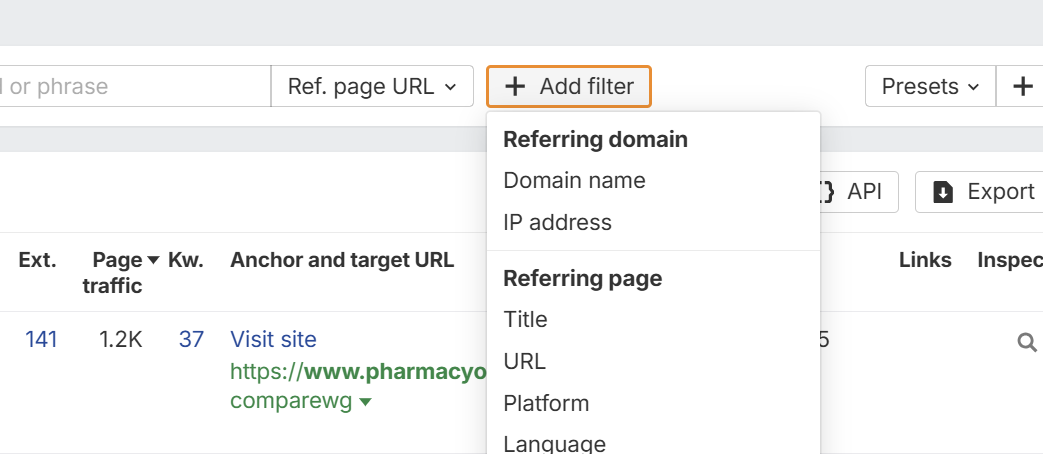
Then click TARGET PAGE URL >
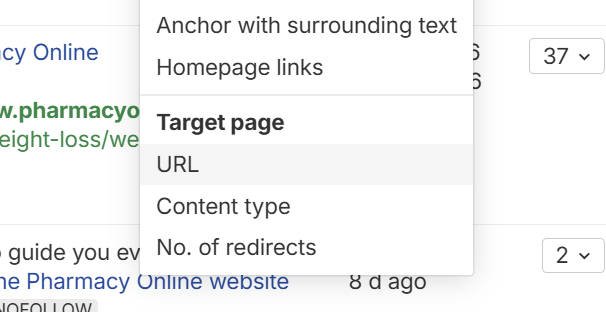
Then in the filter box, you can put parts of URLS that are blocked in your robots.txt file >
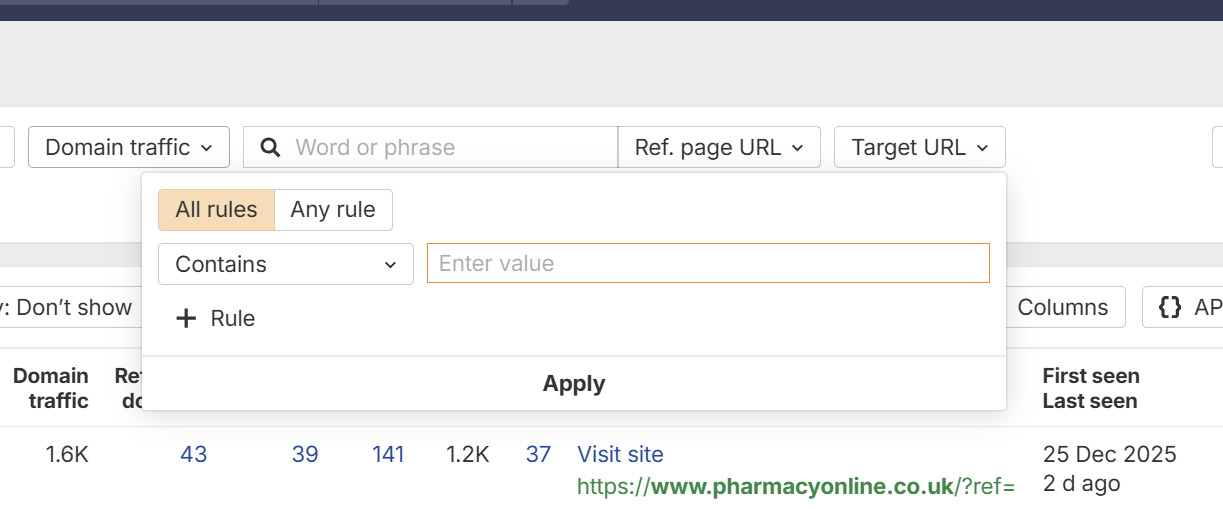
So for example let's say in your robots.txt file you had:
Disallow: *?cat
You could enter ?cat as the URL contains to see if any backlinks link to pages that are blocked by the robots.txt disallow rule >
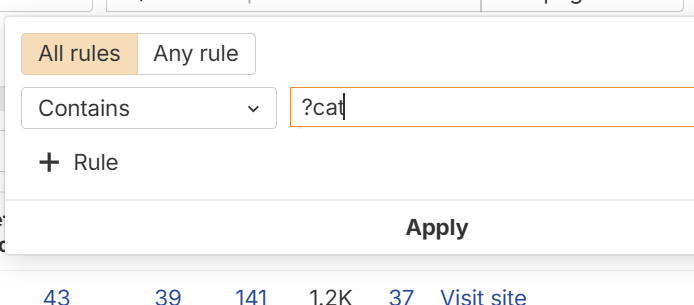
This way you can rule out backlinks that are lost to blocked URLS i.e.
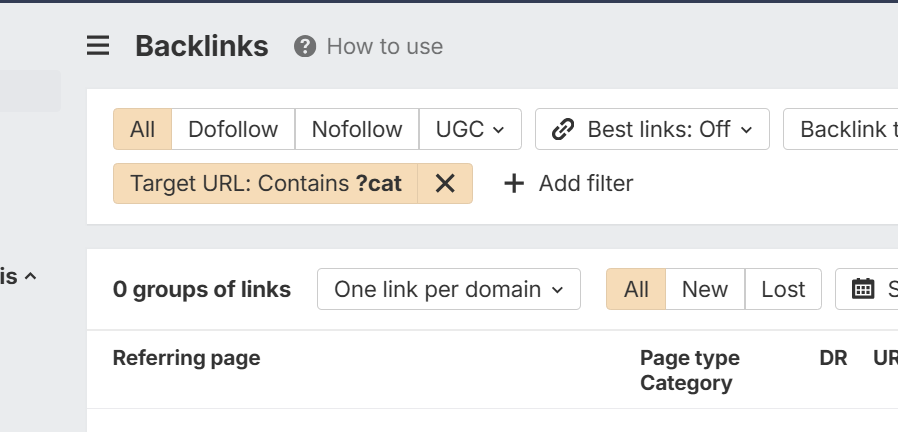
If you get no backlinks than that specific parameter path isn't losing any link equity.
Page with redirect
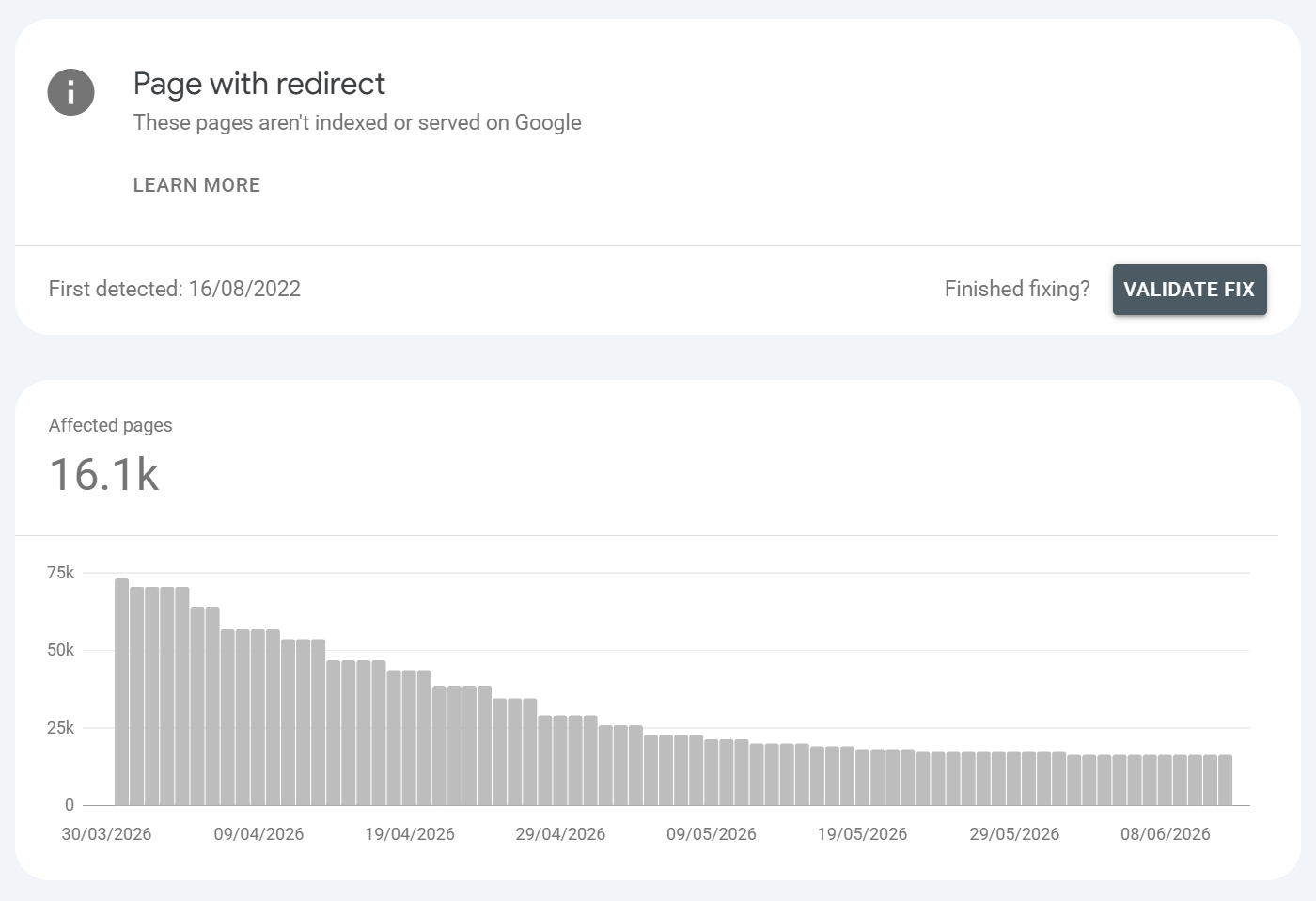
What is it?:
The URL is a redirect (3xx) to another page, so the redirecting URL itself isn't indexed the target is. Usually a non-issue. Again, it is worth checking to see what redirects are worth preserving vs those that are no longer needed. If URLS listed under page with redirect are not rule based, preserve no external link equity of traffic than it's worth changing the redirect to HTTP 410 to get URL to drop the URL. Anything rule based you'll want to make sure that you aren't facilitating it, for example if you have redirect rules from non WWW to WWW - then you would want to make sure you have no internal links on your website to the non WWW URLS because it creates a persistent redirect requirement.
Common URLS found / Common causes:
Normal post-migration 301s
http>https / www normalisation
Consolidated or retired URLs pointing to replacements
Trailing-slash or case-normalisation redirects
How to fix it?:
Normally nothing this confirms Google detected and processed your redirect correctly.
Only act if a URL redirects unintentionally, or if important URLs sit in long chains (collapse to single hops), or if a page you wanted indexed is accidentally redirecting.
Remove redirecting URLs from sitemaps (sitemaps should list final 200 targets only).
Here I've made a video on dealing with it:
Alternative page with proper canonical tag
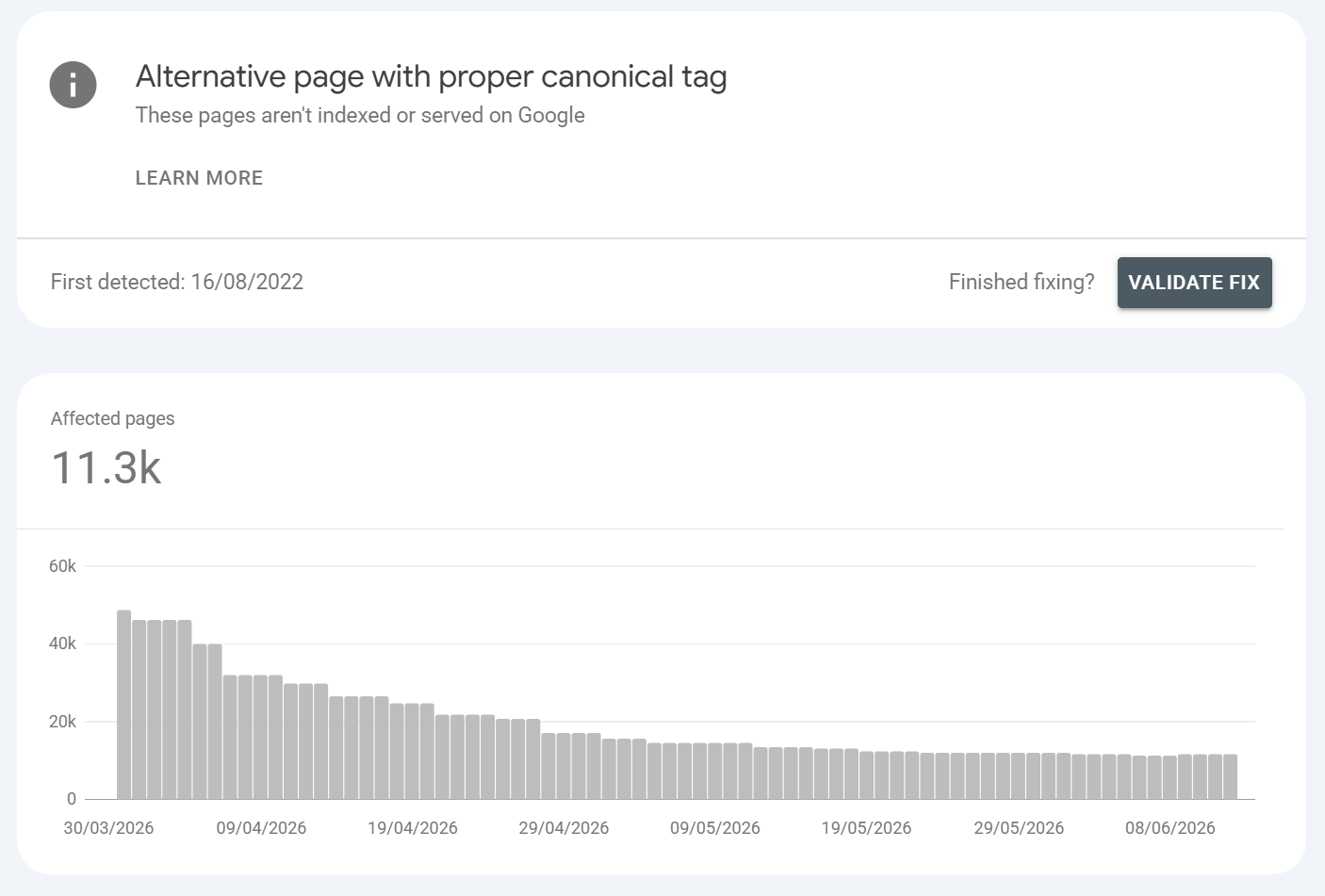
What is it?:
The page declares a canonical pointing to another URL, and Google honoured it. The canonical version is indexed this one is correctly excluded. This is more Google "telling you" that it knows what URLS are canonical child URLS. Ideally, you would naturally minimise how many canonical child URLs you have as they add no benefit and can even be problematic if Google decides to prioritise a canonical child URL over a parent (which can and does happen).
Common URLS found/ Common causes:
Parameterised / tracking / filter variants canonicalised to the clean URL
Print, AMP, or mobile-alternate versions
Paginated or syndicated copies pointing to the primary
Cross-domain syndication canonicals
Unhandled trailing / non trailing slash where the canonical becomes important
HREFLANG configurations
Example: Page examples. /services?ref=email > canonical /services; ?color=red variants > base product; a syndicated article canonicalising to the original publisher.
How to fix it?:
Normally nothing, this is an accepted state. Only intervene if the declared canonical is wrong (e.g. a unique page incorrectly canonicalising elsewhere); then fix the rel=canonical to point to itself. I would highly recommend running a website crawl and look at how many canonical child URLS exist.
Ideally, a tight, clean solid website URL architecture doesn't allow for canonical child URLS unless they are part of the websites functionality. Minimising canonical child URLS is key.
One common example - let's say you had lots of internal links to URLS with appended UTM Parameters, the internal links support the canonical child URL, SO ideally you wouldn't link internally to the UTM URLS to avoid building too many links to the canonical child version of a URL.
Another common one is Shopify's out of the box canonical configuration where /products/ URLS sit below /collections/ URLS and subsequently, all the /collections/+/products/ URLs then canonicalise back to product root - it's messy and not ideal.
I've made a video that delves into this non-indexed page reason further:
Not found (404)
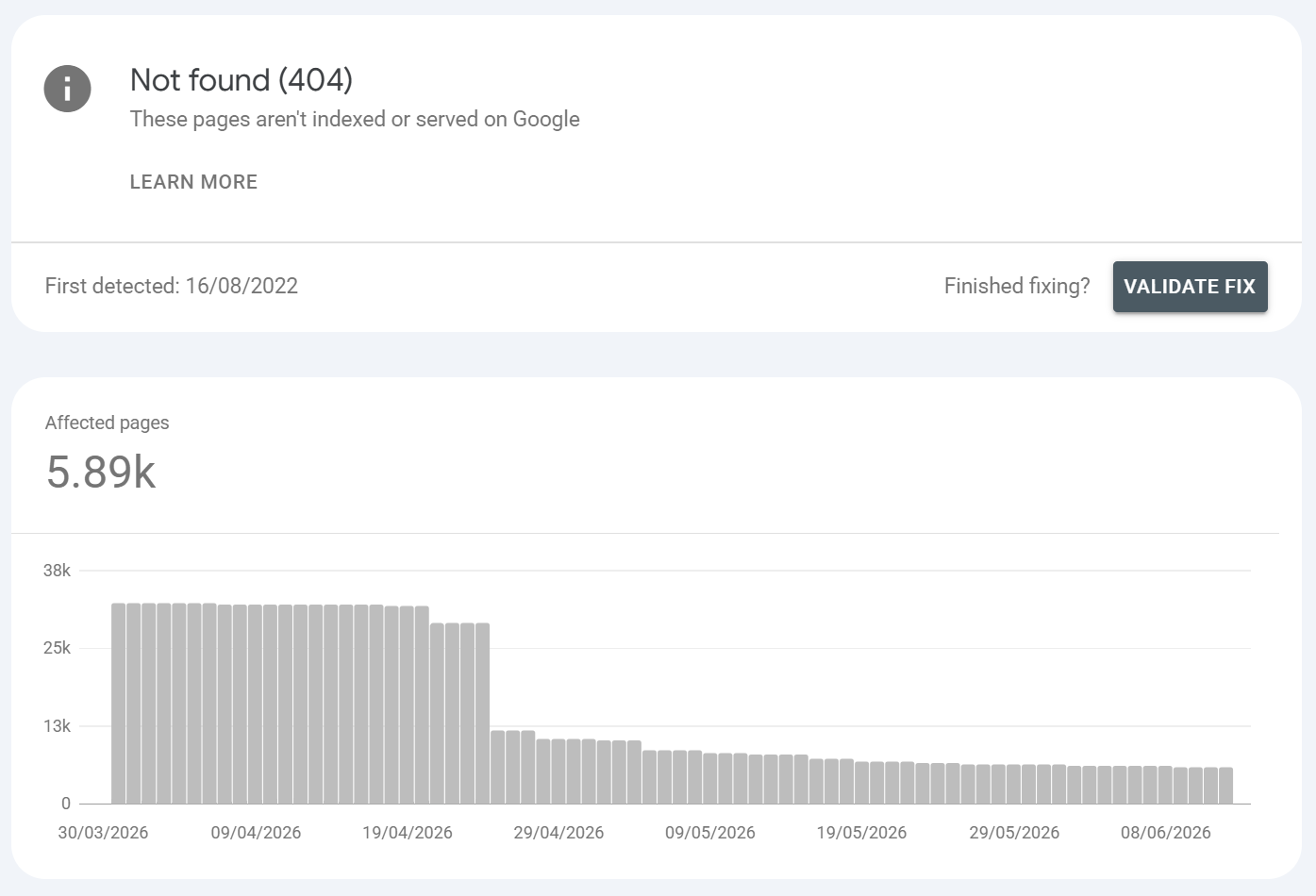
What is it?:
The URL returned a 404 (or 410), so there is nothing to index. Not found 404s are where a page is requested that no longer exists anymore. USUALLY, in Google Search Console, not found 404s can exist even if the URLS aren't found on your website, this is because Google has index memory and can make requests for URLS that are legacy (i.e. removed a long while ago). So you might find 0 404s on your website crawl but you may see hundreds of them in GSC. They can persist naturally for no reason, they can also persist if external links on the web continue to link to the URLS that have been removed (this is a great place to catch broken backlinks also).
Common URLS found / Common causes:
Page genuinely deleted with no replacement (often fine)
URLs changed during a migration without redirects
Broken internal links or stale sitemap entries still feeding Google dead URLs
Discontinued products / expired listings
Typos or malformed URLs being discovered from bad links
Old external links from websites, social content, UGC links
Example: You may have backlinks from other sites pointing to blogs you removed from the website, or, you could have comments from UGC threads on Reddit, Quora that link to content no longer on your site, keeping Google persistently requesting URLS that no longer exist.
How to fix it?:
Decide intent per URL: should it exist?
Yes / it moved > 301 to the closest equivalent live page.
No, gone permanently > leave it 404, or use 410 Gone to signal permanence and speed removal. A clean 404 is a valid, healthy state.
Remove dead URLs from sitemaps and fix internal links pointing at them.
Don't redirect mass-404s to the homepage
Generally, the things you'll want to check are:
Perform a website crawl and confirm there are no internal links pointing to the Not Found 404 URL
For confirmed URLS with no internal links, use AHREFS batch analysis to check if any of the URLS have backlinks pointing to them - if YES then create a redirect for that URL to restore link equity being passed to valid URLS, if NO then confirm via GA4 that the not found 404 URL gets no traffic, if both criteria are met (NO external links or NO traffic than consider making the URL a HTTP 410 to tell Google it's gone away)
Excluded by ‘noindex’ tag
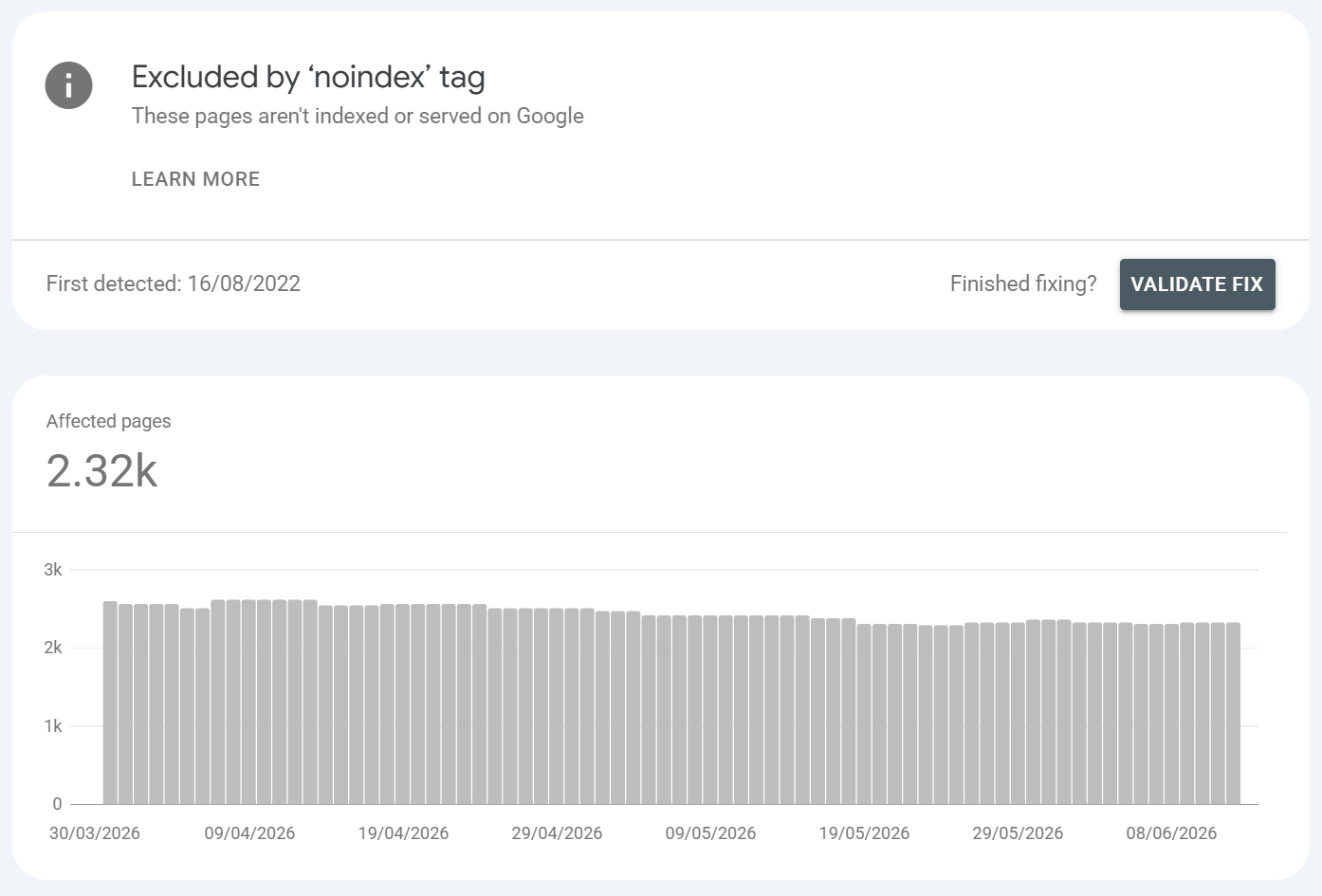
What is it?:
The page carries a noindex directive via a <meta name="robots" content="noindex"> tag or an X-Robots-Tag: noindex HTTP header so Google deliberately excludes it. This is usually used to control indexing at page level. Whereas robots.txt is based on rules, a meta robots directive can be page or "template" specific i.e. a pagination series. This gives users greater control because they can tell Google not to index something but they can tell Google to crawl the page - this is useful in situations like pagination where we don't need Google to index a pagination series but we do want it to discover all the pages linked to from it.
Common URLS found / Common causes:
Intentional noindex on thank-you pages, thin tag/archive pages, internal-search results, staging
Accidental noindex the single most common silent traffic-killer:
WordPress "Discourage search engines" checkbox left on after launch
SEO-plugin or CMS template applying noindex site-wide or to a section
X-Robots-Tag header set at server/CDN/middleware level invisible in page source, easy to miss
Theme/staging template shipped to production
Example: A whole /blog/ section noindexed by a template rule; key landing pages noindexed by an X-Robots-Tag added in an nginx/Cloudflare config; pages noindexed by a Yoast/RankMath bulk setting.
How to fix it?:
For intentional cases (thank-you, gated, duplicate-thin): no action.
For pages that should rank: remove the
noindex.Check both the HTML
<meta robots>and the HTTP response headers - the X-Robots-Tag is the one people miss. Inspect withcurl -Ior browser dev-tools > Network > response headers.Trace which layer injects it: CMS setting, plugin, theme, server config, CDN/edge worker.
Re-crawl and Validate Fix.
Things you should consider with URLS marked noindex
Do they act as a through-route for search engines, crawls and bots like Googlebot? if so EXPLICITLY state noindex, follow - so that the child paths are crawled
Do pages excluded by noindex have external links pointing to them? can you can export the URLS excluded by noindex from within GSC and simply copy and paste the URLS into AHREFS batch analysis
Simply go to the non indexed page reason in GSC >

Click export >
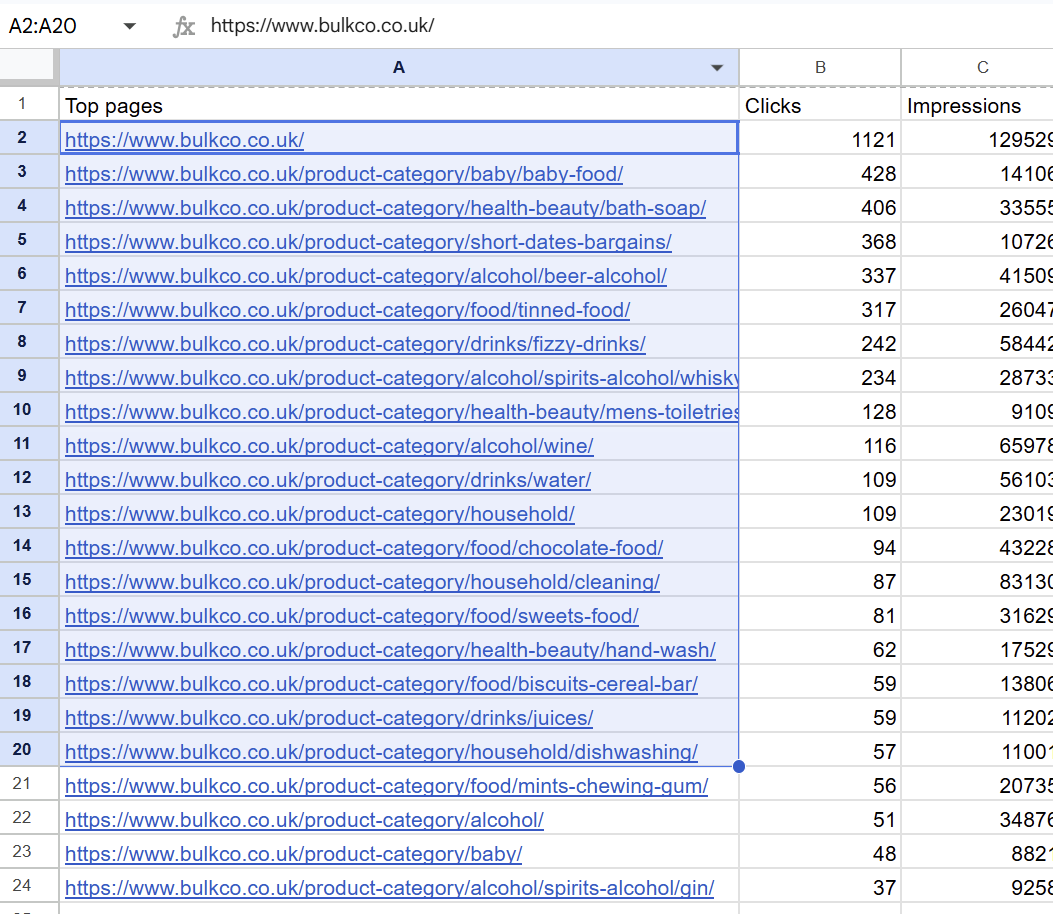
Then copy your URLS from the export >
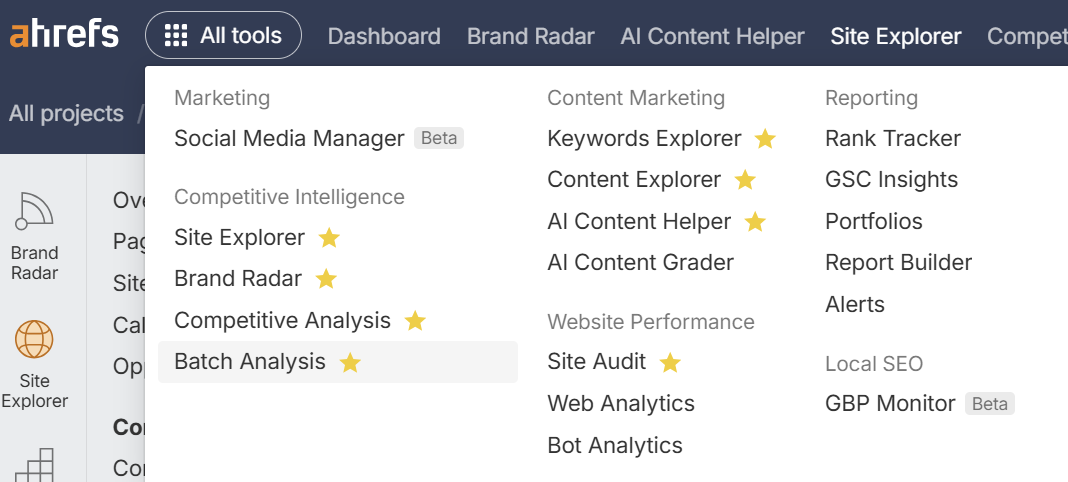
Then go to AHREFS and select BATCH ANALYSIS
Then paste your URLS in >
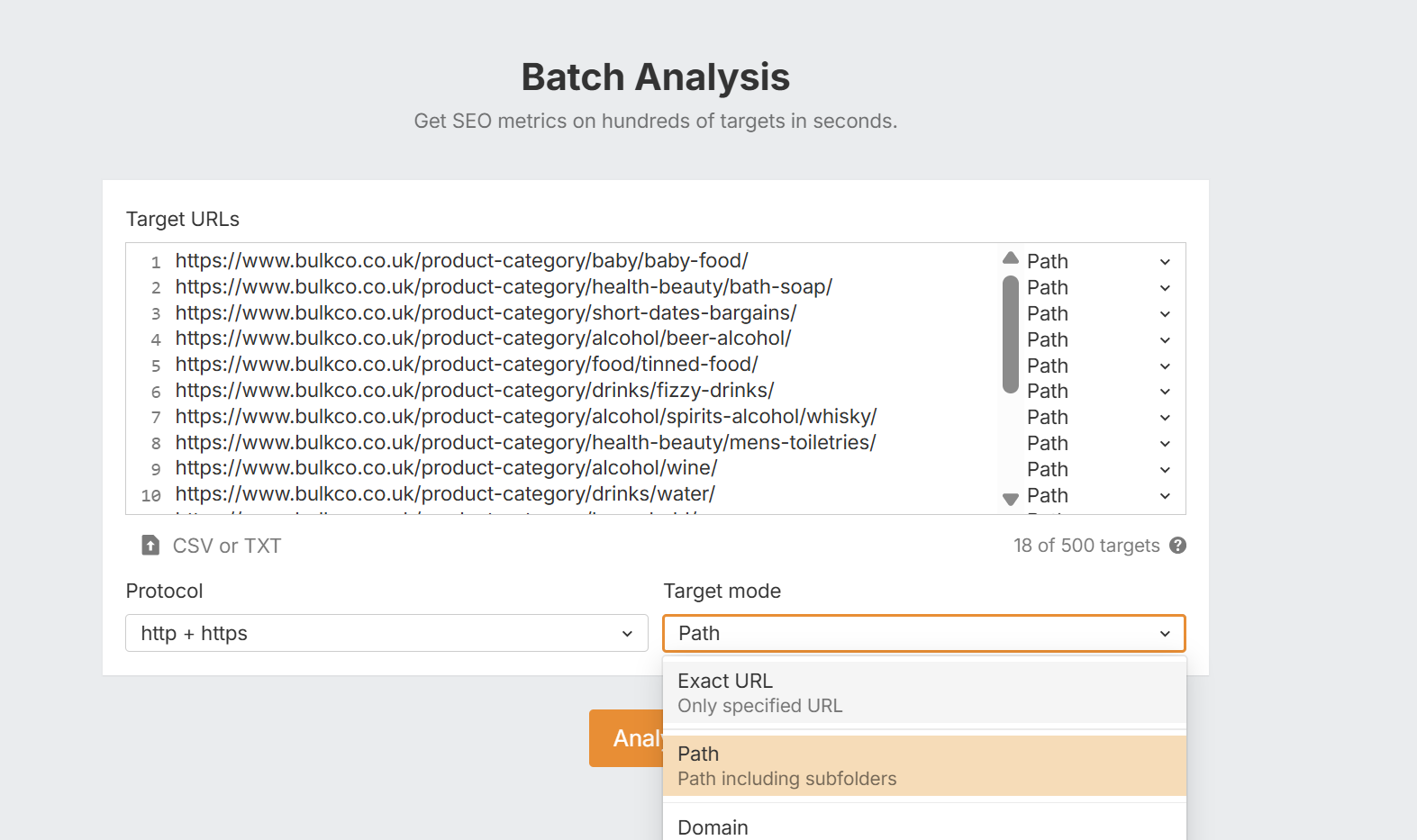
Then change the TARGET MODE to EXACT URL and click analyze.
Then you can sort referring domains by how many there are >
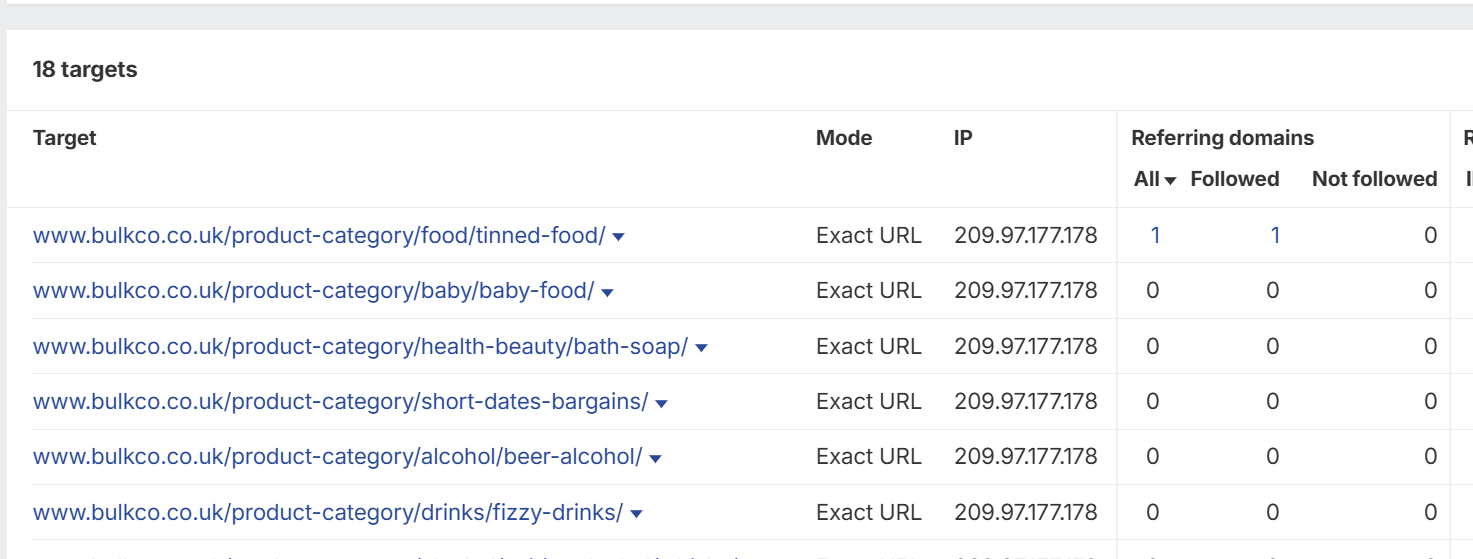
This is a great way to find any URLS that are marked as noindex that have external links. You can then weigh up whether or not to make the URL indexable so link equity can be passed.
Blocked due to unauthorised request (401)
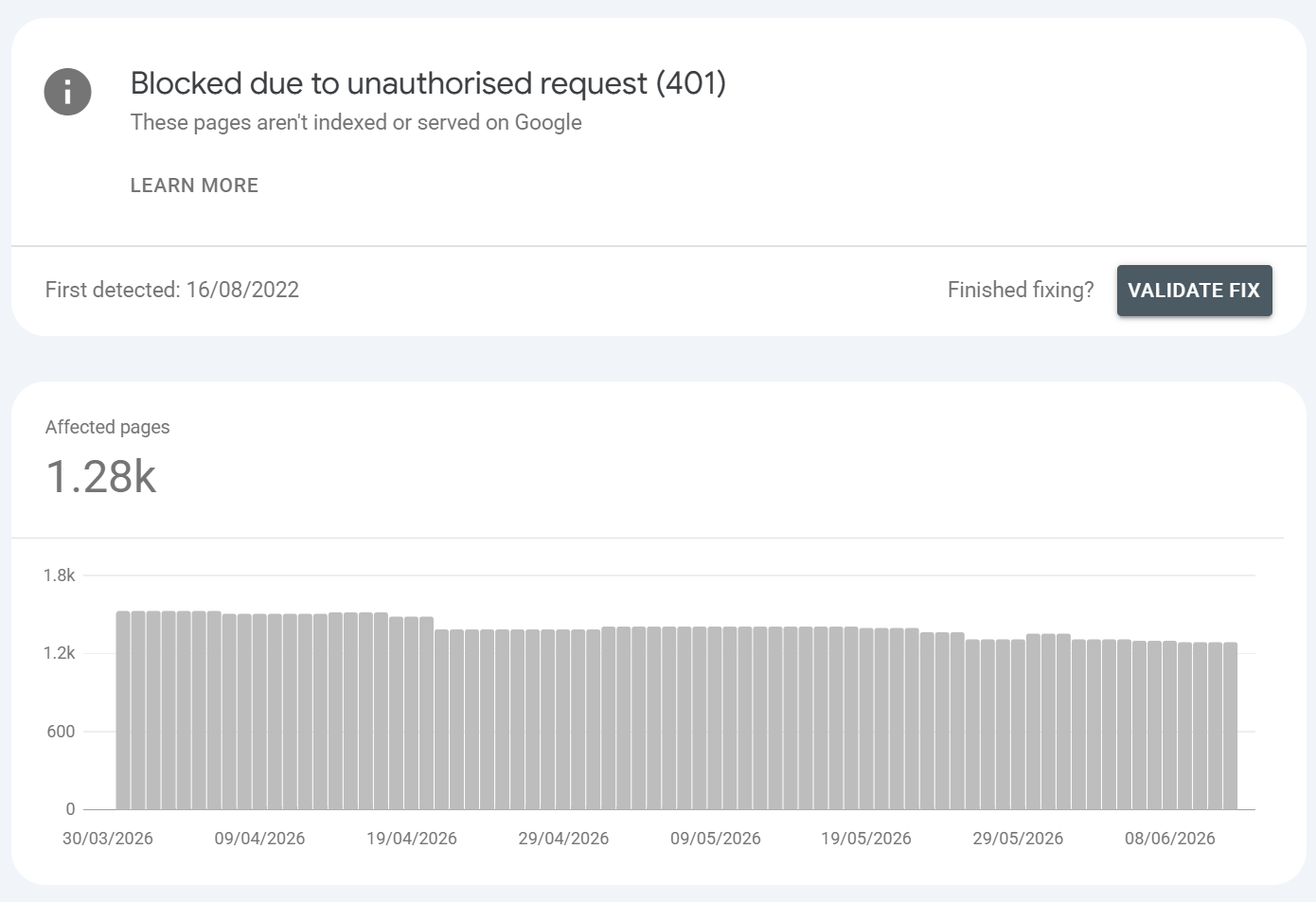
What is it?:
The URL returned 401 Unauthorized it sits behind authentication that Googlebot can't pass. This is usually reserved for things such as staging sites or for backends where a login is required. Googlebot cannot fill credentials so the server cannot authorise the request.
Common URLS found / Common causes:
HTTP Basic Auth on a staging/dev environment
Members-only / paywalled / logged-in-only content
Accidental auth left on a section after launch
Example: staging.yoursite.com still password-protected but submitted in a sitemap; an account dashboard; gated premium content or content that sits behind a credentials system.
How to fix it?:
If it should be private (staging, member areas): this is correct then no action, ideally also keep it out of sitemaps
If it should be public: remove the auth requirement, or scope it so Googlebot/verified bots and real users get the public version
For paywalls you still want indexed, implement structured-data paywalled-content markup so Google can index without treating gated content as cloaking
Ideally you don't want Googlebot making these requests, however, as long as there aren't links on the web or from your website to a staging site than this shouldn't be an issue. What you should look out for is to see whether Google is finding multiple URLS that would otherwise be undiscoverable, if Googlebot is discovering lots of URLS i.e. from a staging site then that can suggest there is either a sitemap or some source where Google is finding the URLS. Ensure things like staging sites / dev sites are NOT indexable.
Things you can check:
Check domain property in Google Search Console using regex to find potential sub-domains that may have been indexed or served at some point
If there are ANY links from sitemaps or crawls that connect to a staging site or blocked area
You can set up a DOMAIN PROPERTY in Google Search Console - this can act as a catch all for all the child URLS i.e. staging sub domains. You can then use the following regex to potentiall catch sub-domains:
(?i)://(www\.)?(staging|stg|stage|dev|dev2|develop|test|tst|uat|qa|qa2|demo|sandbox|sbx|beta|preview|preprod|pre-prod|nonprod|new|old|temp|tmp)[.-]It's quick and easy to do - login to your Google Search Console profile and check the left hand drop down menu for your domain, you'll want to ensure this is a DOMAIN PROPERTY and not a URL prefix property.
You can tell easily:
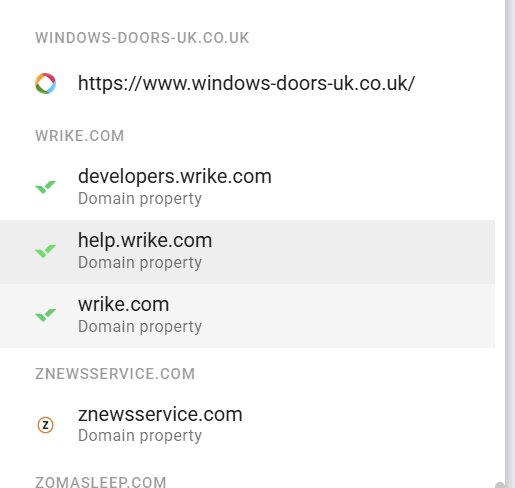
If your website URL shows but it does NOT say DOMAIN PROPERTY below it, then its a URL prefix. In which case you need to set up a domain property.
Click AD PROPERTY at the bottom then use the left hand domain box:
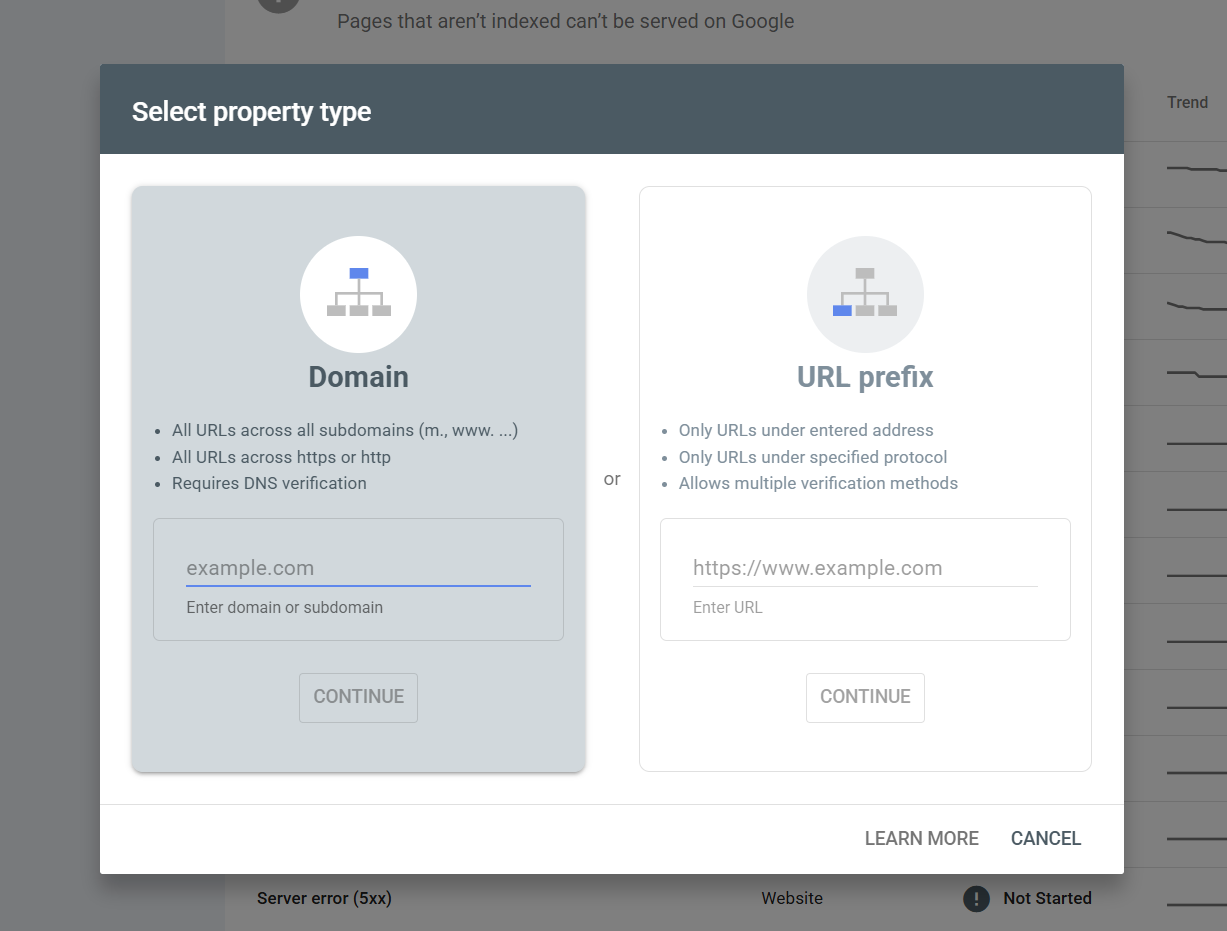
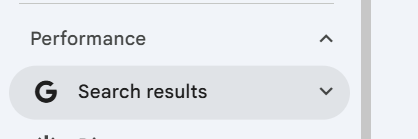
Go through validation and then when your domain property is verified simply go to performance > search results
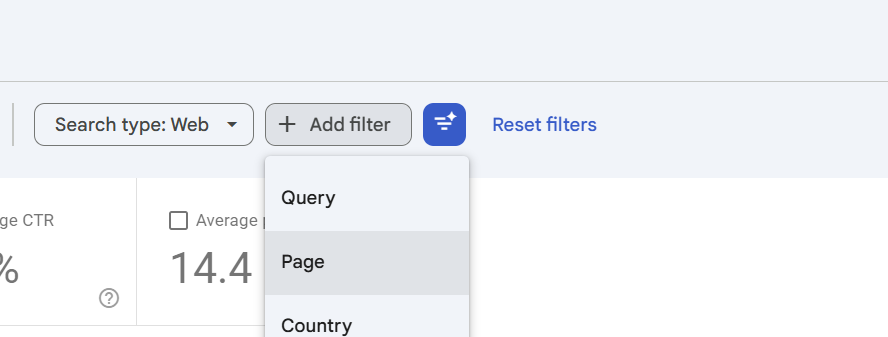
Then click + Add Filter and then select page
Then select CUSTOM matches regex
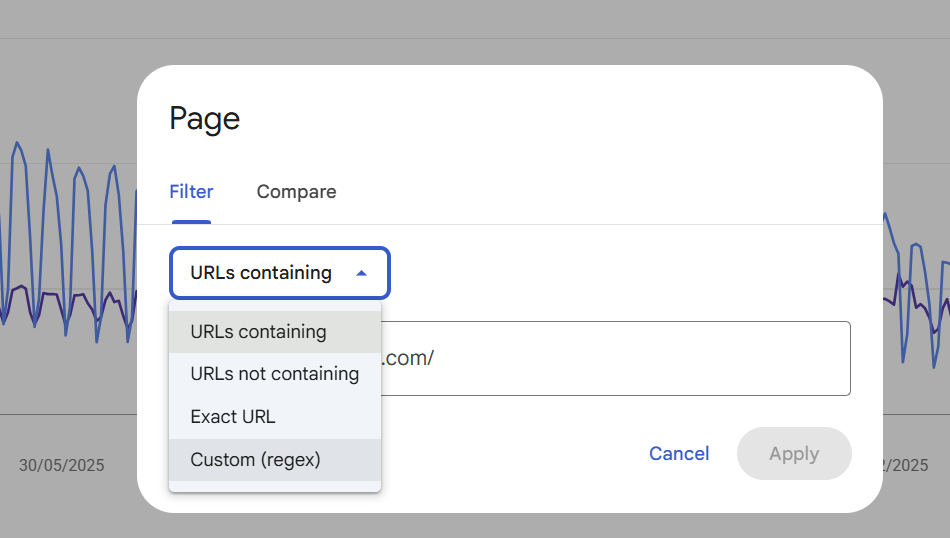
Then copy and paste this regex:
(?i)://(www\.)?(staging|stg|stage|dev|dev2|develop|test|tst|uat|qa|qa2|demo|sandbox|sbx|beta|preview|preprod|pre-prod|nonprod|new|old|temp|tmp)[.-]And click APPLY
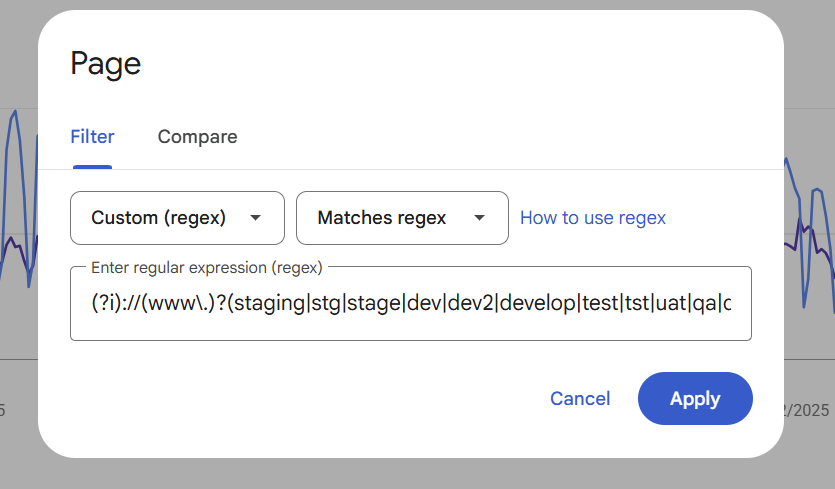
This can act as a general catch-all for staging or sub-domains that Google has found. It gives you the chance to ensure that:
Google isn't able to index or serve anything it shouldn't
To ensure that there are no routes to areas that are unauthorised
You CAN also use Google's URL Removals to get rid of anything that you don't want Google attempting to crawl and index, simply use the left hand REMOVALS menu item -
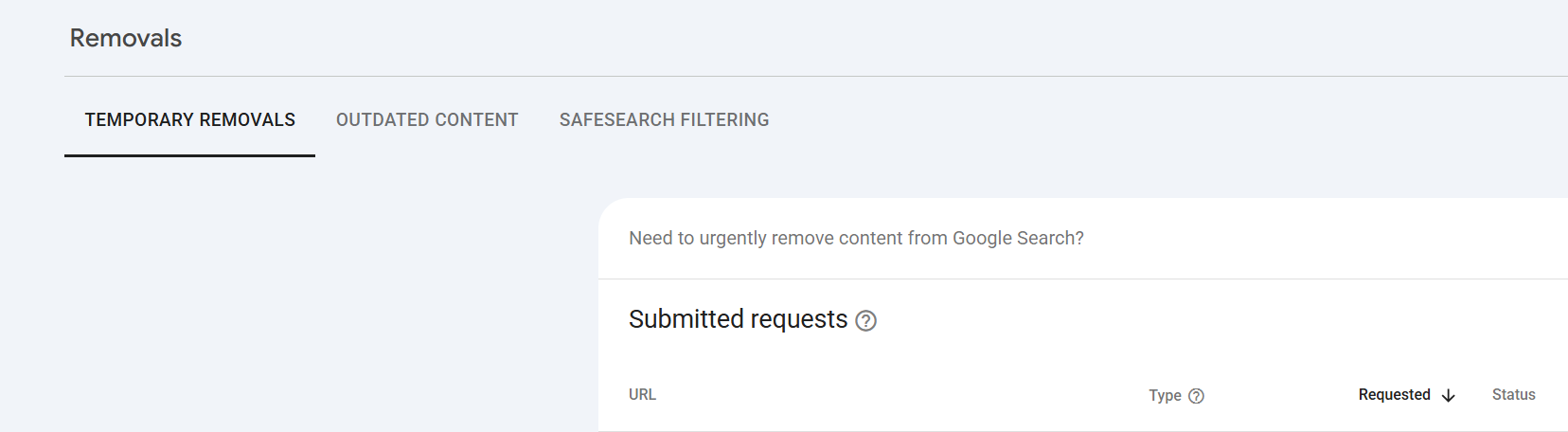
You can submit a NEW REQUEST - whilst it's flagged as "temporary", it will just mean Google knows not to keep requesting the URLS, because they won't return HTTP 200 they SHOULD eventually drop out.
Blocked due to other 4xx issue
What is it?:
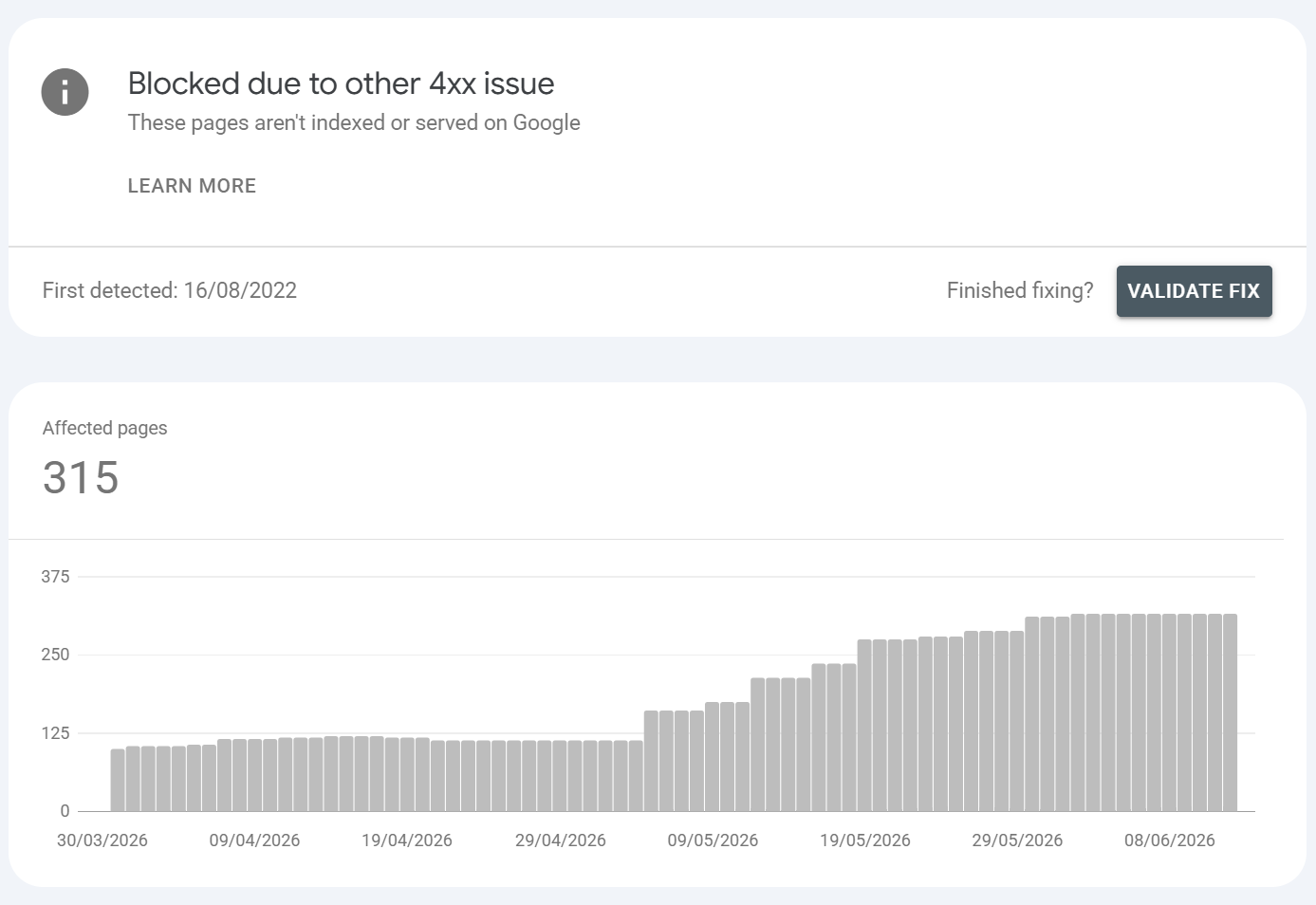
A 4xx response other than 401/403/404 (e.g. 400 Bad Request, 405, 410, 429 Too Many Requests). Most commonly here are 410s but they can be an array of 4xx HTTP status headers. Most frequently we see things such as rate limiting & typically moreso on larger sites.
Common URLS found / Common causes:
429 rate-limiting Googlebot (very common on large sites with tight throttles)
400 from malformed URLs / bad parameters
410 Gone (intentional removal valid)
405 from method restrictions
Example: High-volume crawling tripping a 429 limiter; parameterised URLs with invalid syntax returning 400; intentionally retired URLs returning 410.
How to fix it?:
Identify the exact code in logs/URL Inspection.
429: raise rate limits for verified Googlebot, or in Search Console settings cap crawl rate sensibly; ensure infrastructure scales to crawl demand.
400: fix the malformed-URL source (often bad internal links or parameter generation).
410: if intentional, leave it.
Duplicate without user-selected canonical
What is it?:
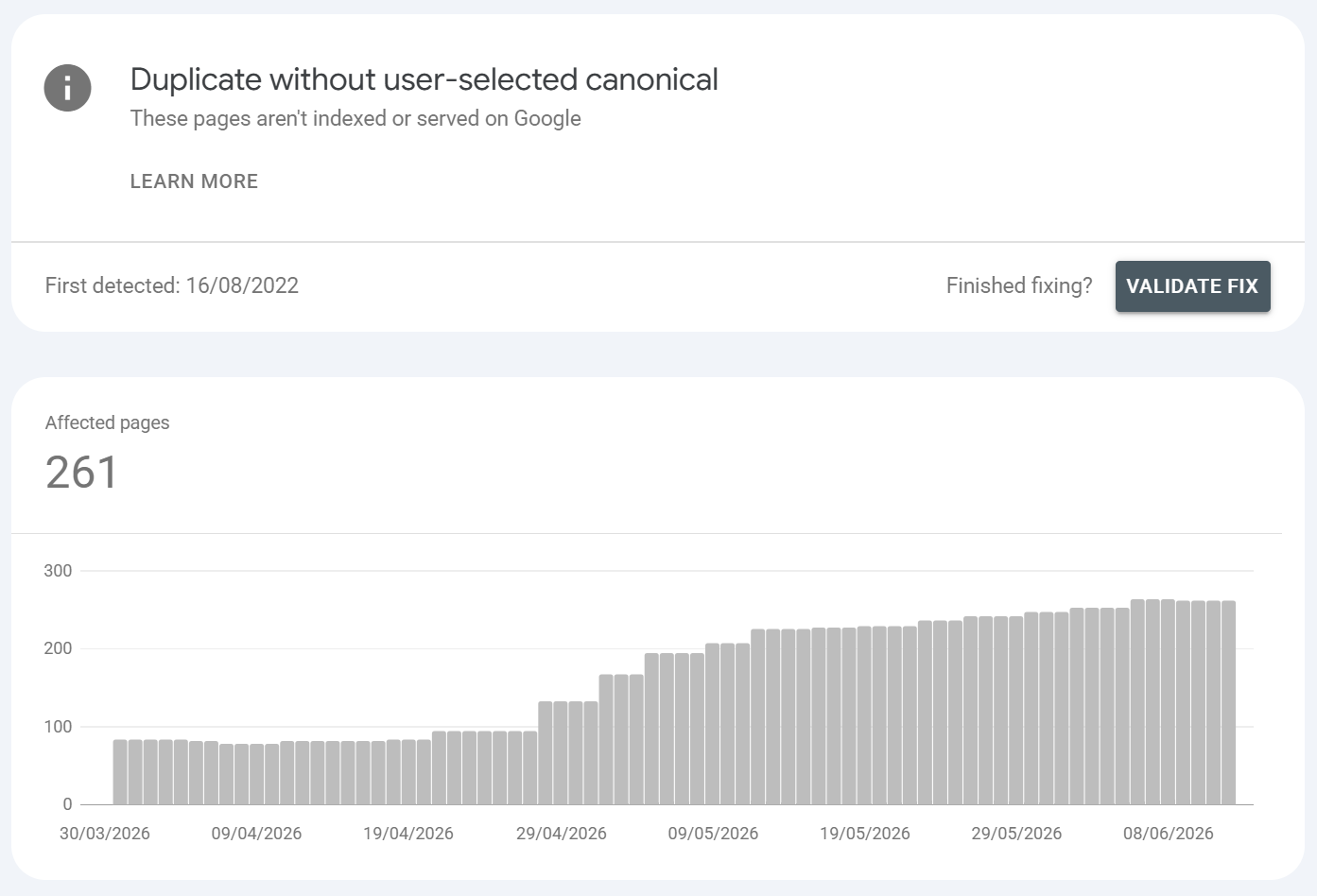
Google detected duplicate/near-duplicate content, you didn't specify a canonical, so Google chose one itself and excluded the rest. Again this isn't ideal, you should ALWAYS ensure your core URLS have self-referencing canonicals (unless the URLS call to be canonical child URLS in which you would maintain the parent > child canonical relationship).
General rule is, do NOT have a website configuration that allows Google to find canonical child content that's a duplicate of a parent where a canonical is not specified as it can exacerbate canonicalisation / cannibalisation issues.
Common URLS found / Common causes:
No
rel=canonicalimplemented across variant URLsFaceted navigation / sort / filter / session-ID parameters generating duplicates
HTTP vs HTTPS or www vs non-www both accessible
Boilerplate or templated pages with little unique content
Trailing-slash / case variations
Example: /product?size=M and /product?size=L with identical copy and no canonical; the same page reachable on http and https; near-identical location pages.
How to fix it?:
Add an explicit, self-referencing or consolidating
rel=canonicalso you control which URL is the parentEnforce one host/protocol with 301s
Reduce duplication: parameter handling, consistent internal linking to the canonical form, and genuinely differentiate templated pages
If two pages are truly distinct, make their content distinct enough that Google stops merging them
Redirect error
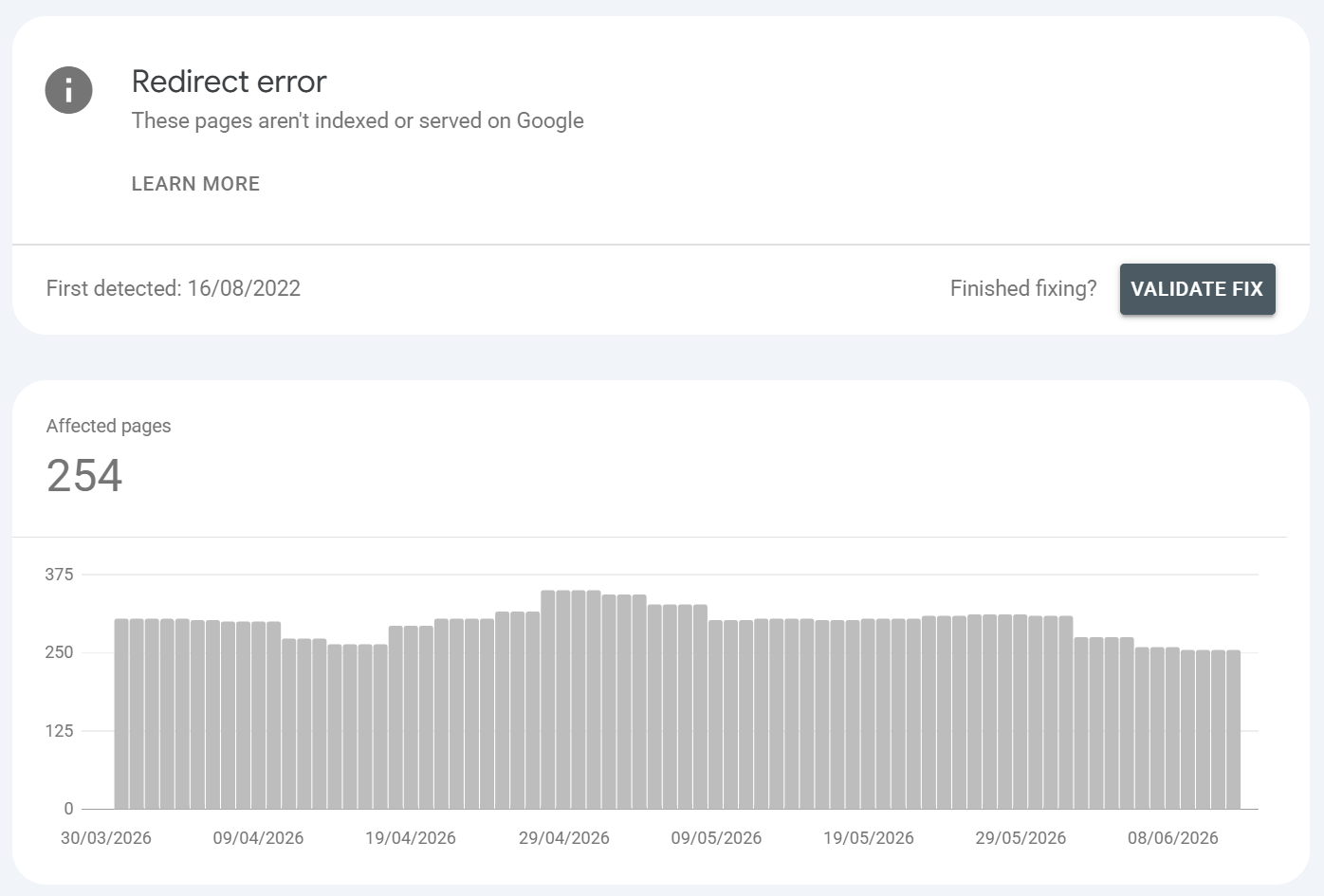
What is it?:
A redirect error is where google followed a redirect but the chain was broken, too long, looping, an empty/bad target URL, or a URL exceeding the max length. A redirect error can also be because the server didn't understand a request and didn't handle it properly or because a malformed URL was requested that would otherwise redirect.
Common URLS found / Common causes:
Redirect loops (A > B > A)
Excessively long chains (A > B > C > D > …); Google typically gives up after around 5 hops
A redirect pointing at a malformed, empty, or relative-gone-wrong URL
Conflicting redirect rules between CDN, server config (.htaccess/nginx), and CMS plugins
Protocol/host mixing (http↔https, www↔non-www) creating accidental loops
Example: An old /blog/post redirecting to a slug that itself redirects back or a trailing-slash rule fighting an https-forcing rule and ping-ponging; a migrated URL pointing to a 301 that points to a 404.
How to fix it?:
Map the full hop sequence with Screaming Frog (or
curl -IL) to find the loop or dead end.Collapse all chains to a single 301 from source straight to the final 200 destination.
Resolve rule conflicts by deciding the canonical host/protocol once and enforcing it in one layer.
Re-test the live URL, then Validate Fix.
The best thing to do here is to export the URLS then run a HTTP Status request in Google Sheets to see what status codes come back. You can use this script in Google Sheets to run HTTP requests:
function httpstatuscode(url) {
    var result = [];
        url.toString().trim();
       var options = {
        'muteHttpExceptions': true,
        'followRedirects': false,
    };
        try {
        result.push(UrlFetchApp.fetch(url, options).getResponseCode());
    }
       catch (error) {
        result.push(error.toString());
    } finally {
        return result;
    }
}
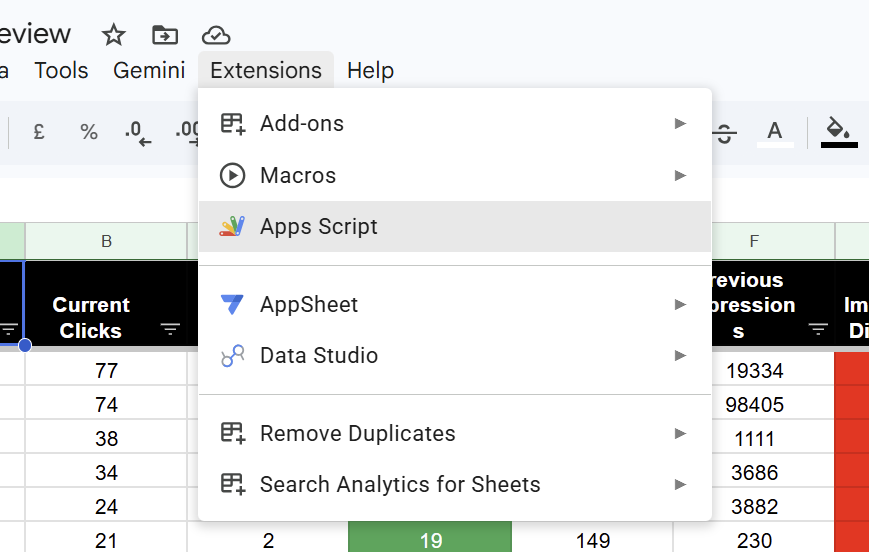
In your Google Sheet, simply click EXTENSIONS > APPS SCRIPT
Paste the HTTP status code script in:
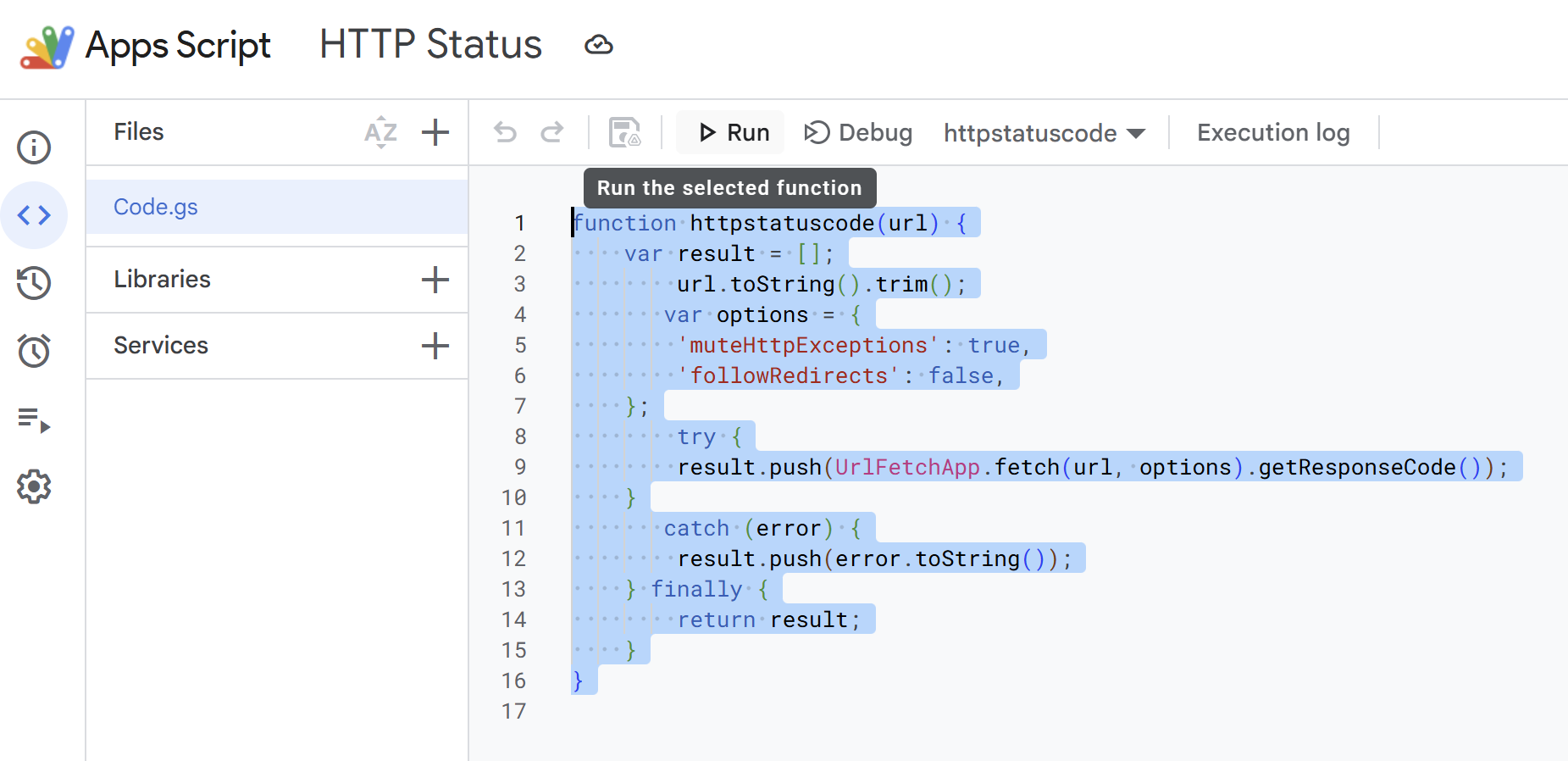
Click SAVE and then RUN.
You will need to grant it permissions, it may state that the app is unknown / so you need to click more options to allow it to run, but you'll see from the script it's safe, it simply makes outbound HTTP requests to URLS in your export.
Then, in your EXPORTED list, simply call the function
=httpstatuscode(URL Cell Ref)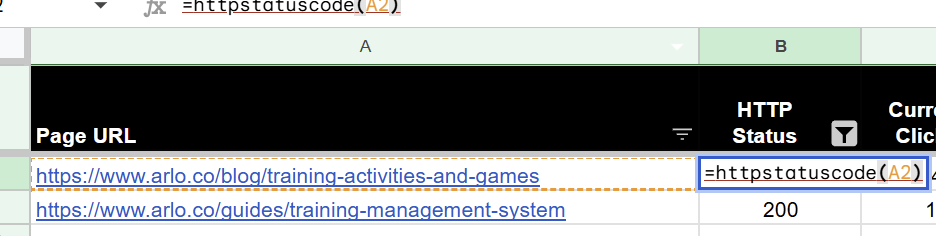
Then hit enter.
This way you can HTTP status check and validate the HTTP status code.
Soft 404
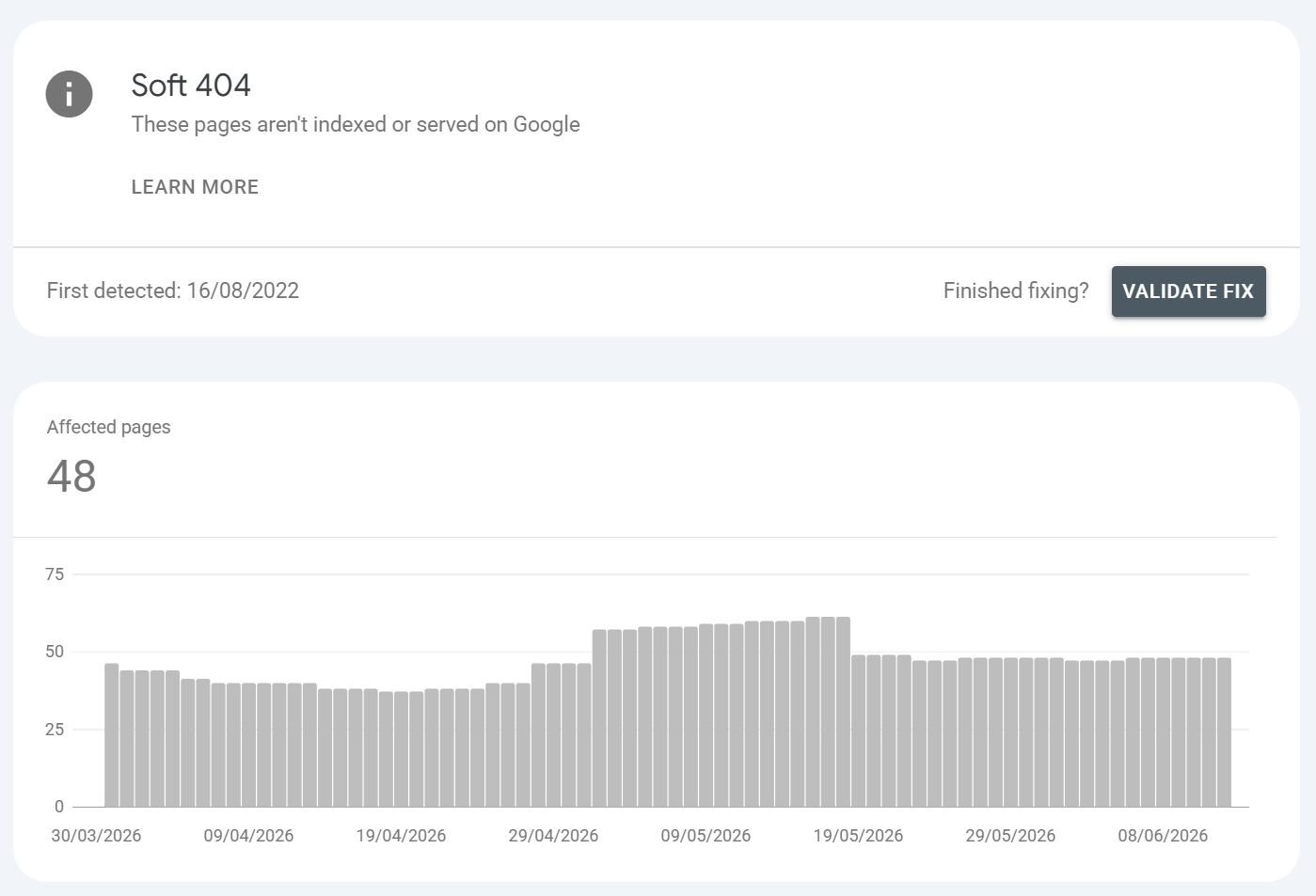
What is it?:
The page returns a 200 OK but Google judges the content to be effectively a "not found"/empty/error state so it declines to index it. This usually happens on pages that have little to no content and/or where a message is present i.e. "No products found" - the URL is inferred to be a soft 404 if it returns HTTP 200 but is the equivalent of a not found page.
Common URLS found / Common causes:
"No results found" / empty search or filter pages served with a 200
Thin or placeholder pages ("This product is no longer available") returning 200
Out-of-stock or expired listings that strip all content but stay live
JS that fails to render the main content, leaving Google an empty shell
Mass-redirecting deleted pages to the homepage (Google flags the homepage substitute as soft 404)
Example:
/search?q=xyz with zero results but a 200; a discontinued product page showing only a generic message; an SPA route that renders blank to Googlebot because the API call failed server-side. Soft 404s can occur on things such as:
Empty search result pages
Empty collection pages (product categories)
Product out of stock pages if the page is thin
How to fix it?:
If the page should exist: add real, unique, substantive content and confirm it renders for Googlebot (URL Inspection > rendered HTML)
If the page shouldn't exist: return a true 404/410 instead of a 200
For empty internal-search/filter result pages, return 404 or noindex them rather than serving thin 200s
Fix rendering failures (SSR/hydration, blocked JS/CSS resources)
Generally, the best thing to do is to check if the URL path has any data for it in Google Search Console, if it doesn't, consider either a NOINDEX, FOLLOW for the template i.e. search results page that's parameterised or consider blocking the search parameter via robots.txt using a disallow match path.
Ensure that anything you block does NOT have organic traffic nor any external links.
Blocked due to access forbidden (403)
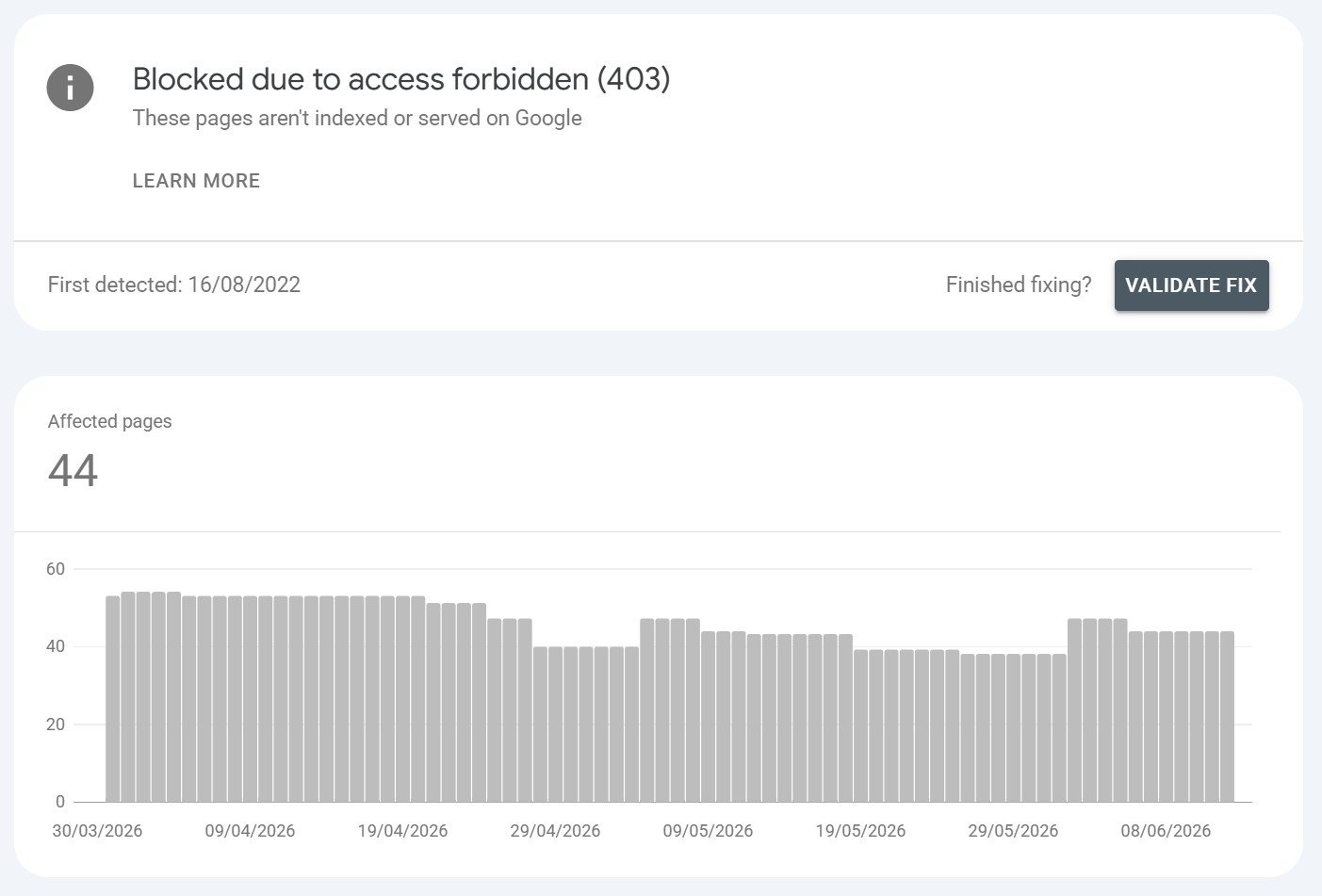
What is it?:
The server returned 403 Forbidden to Googlebot. This is again usually to do with areas that are sensitive or are behind login mechanisms. This can happen when Googlebot makes requests for files or resources that are gatekept behind firewalls or where resources have configuration issues.
Common URLS found / Common causes:
WAF/firewall or security plugin blocking the Googlebot user-agent or its IP ranges
IP allowlists / geo-blocking that excludes Google's crawl infrastructure
File-permission or server config errors
Aggressive anti-scraping rules catching legitimate Googlebot
Example: A whole directory returning 403 to bots; pages that load fine in your browser but 403 to Googlebot because Cloudflare/Sucuri/ModSecurity is challenging it.
How to fix it?:
Confirm with the URL Inspection live test (it requests as Googlebot) pages can be 200 for you and 403 for Google
Verify and allowlist Googlebot by reverse-DNS / Google's published IP ranges rather than user-agent string alone
Loosen over-broad WAF rules; whitelist verified search-engine bots
If the 403 is intentional, keep it but remove the URLs from sitemaps/internal links
Server error (5xx)
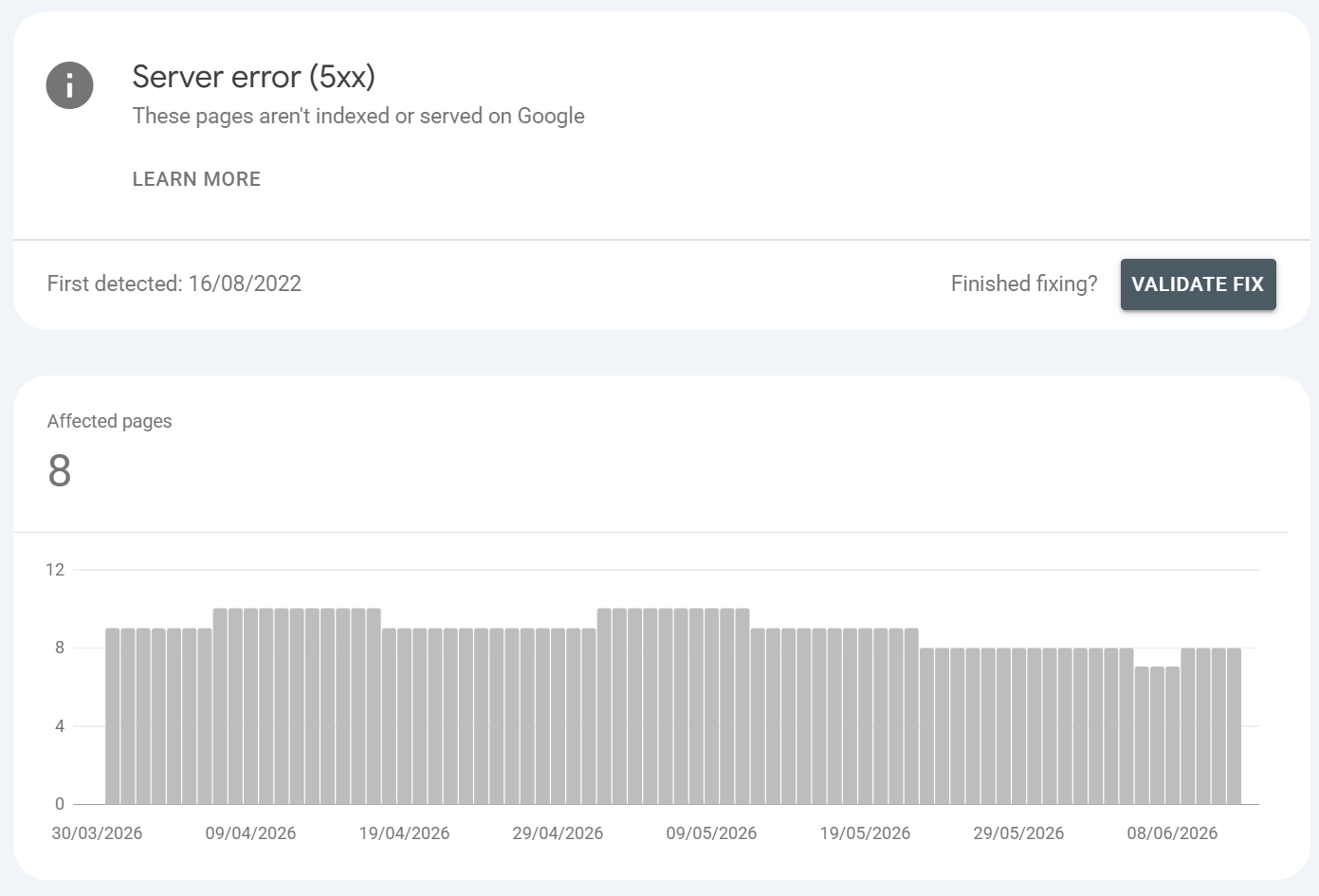
What is it?:
Googlebot requested the URL and the server returned a 5xx (500, 502, 503, 504). Google couldn't retrieve the page to index it.
Common URLS found / Common causes:
Origin overload or exhausted PHP workers or DB connections under excessive crawl load
Aggressive bot firewall, WAF or rate-limiting throttling Googlebot
Misconfigured server, broken deploy, or app exception (500)
Bad gateway between CDN and origin (502/504), or maintenance mode (503) left on too long
Host suspended or resource limits hit on shared/cloud hosting
Example: A category page that 500s only when traffic spikes; an entire site returning 503 during a botched deploy; product pages that time out (504) because an upstream API is slow.
How to fix it?:
Reproduce with the URL Inspection live test and with
curl -I; check whether it's intermittent (load-related) or persistent (config), perform a server stress test and review server logsGet server/access logs filtered to Googlebot to confirm the response codes Google actually received vs. what users see - see if any requests timeout or are malformed or broken
If load-related: raise resource limits, add caching/CDN, optimise slow DB queries, and ensure your bot-protection allowlists verified Googlebot
For genuine maintenance, return 503 with a
Retry-Afterheader so Google reschedules rather than dropping the pageOnce stable, Validate Fix in the report
Crawled - currently not indexed
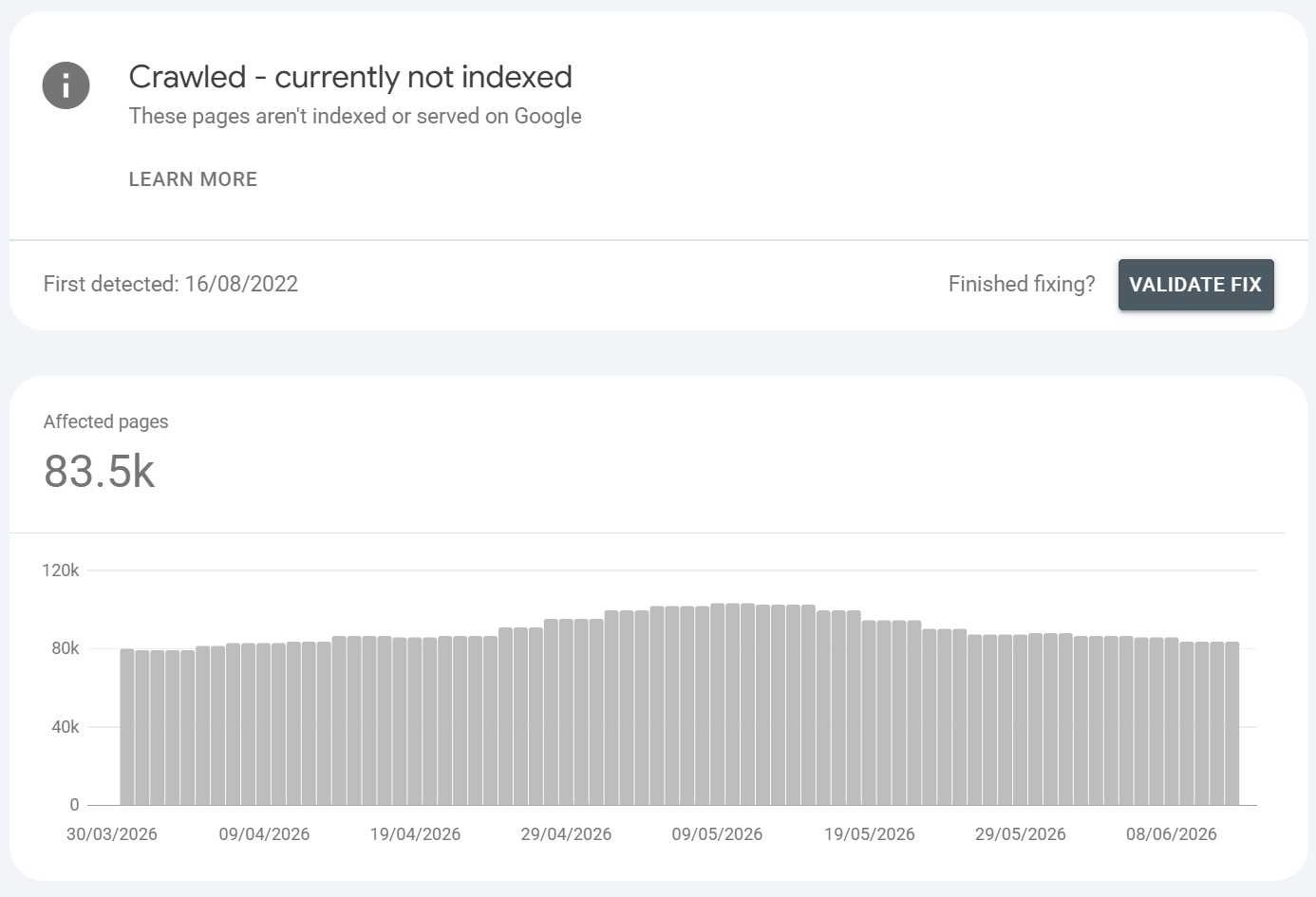
What is it?:
Google crawled the page but chose not to index it. This is the hardest reason to fix because it's usually a quality/value judgement, not a technical block. (Note: it can also apply to pages that were historically indexed and later dropped so a rising count here can signal a quality decline, not just new pages.)
Common URLS found:
Thin / low-value / unoriginal content nothing unique enough to justify an index slot
Duplication / near-duplication that didn't trip the formal duplicate reasons
E-E-A-T / quality bar especially post-Helpful Content / core-update tightening; Google is far more selective in 2026
Rendering issues JS fails and Google sees an empty/partial page
Mass low-value templated/programmatic pages
Weak internal linking + weak external signals (low perceived importance)
Page examples. Auto-generated location pages with swapped city names and no unique value; a thin 150-word post or an SPA route where the content never renders for Googlebot; doorway-ish programmatic pages.
How to fix it?:
Reframe the question Google's way: what reason does Google have to index this? Give it one.
Improve content quality and uniqueness depth, originality, genuine value; merge or prune thin pages.
Check rendering: URL Inspection > View Crawled Page / rendered HTML; ensure main content is in the server-rendered or properly hydrated DOM, and render-critical resources aren't blocked.
Strengthen internal links from authoritative pages and improve E-E-A-T signals.
For large programmatic sets, consolidate fewer, stronger pages beat thousands of thin ones.
Remove or noindex pages that genuinely don't deserve to rank rather than fighting for them.
Re-submitting alone won't help the fix is on the page.
I've made a video specifically around dealing with URLS that are crawled but currently not indexed which you can watch here:
Duplicate, Google chose different canonical than user
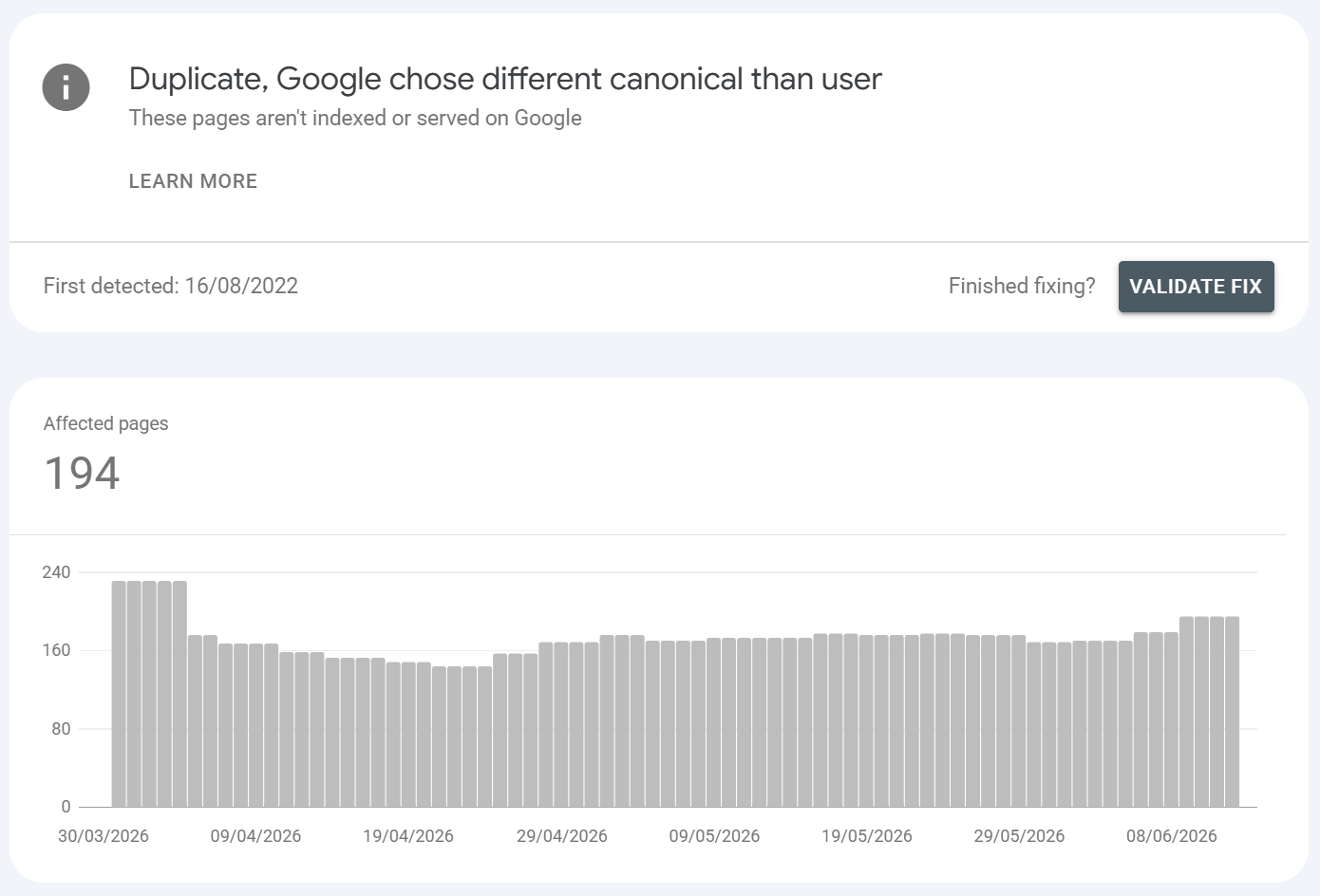
What is it?:
You did set a canonical, but Google overrode it and picked a different URL as canonical. Your declared page is excluded in favour of Google's choice - again, this is not something you want, Google is effectively choosing the canonical parent which in many cases is often the wrong choice.
Common URLS found / Common causes:
Conflicting signals: your canonical says A, but internal links, sitemap, redirects, or hreflang point at B
Google judges another version more authoritative (more links, cleaner URL, better content)
Canonical pointing to a page that's noindexed, redirected, or weaker
Mobile/desktop or near-duplicate pages with mixed signals
How to fix it?:
Use URL Inspection > "Google-selected canonical" vs "User-declared canonical" to see the mismatch.
Make all signals agree with your preferred canonical:
rel=canonical, internal links, sitemap entry, redirects, hreflang.Strengthen the page you want chosen (content depth, internal links, remove competing duplicates).
If Google's pick is actually better, adopt it instead of fighting it.
Discovered – currently not indexed
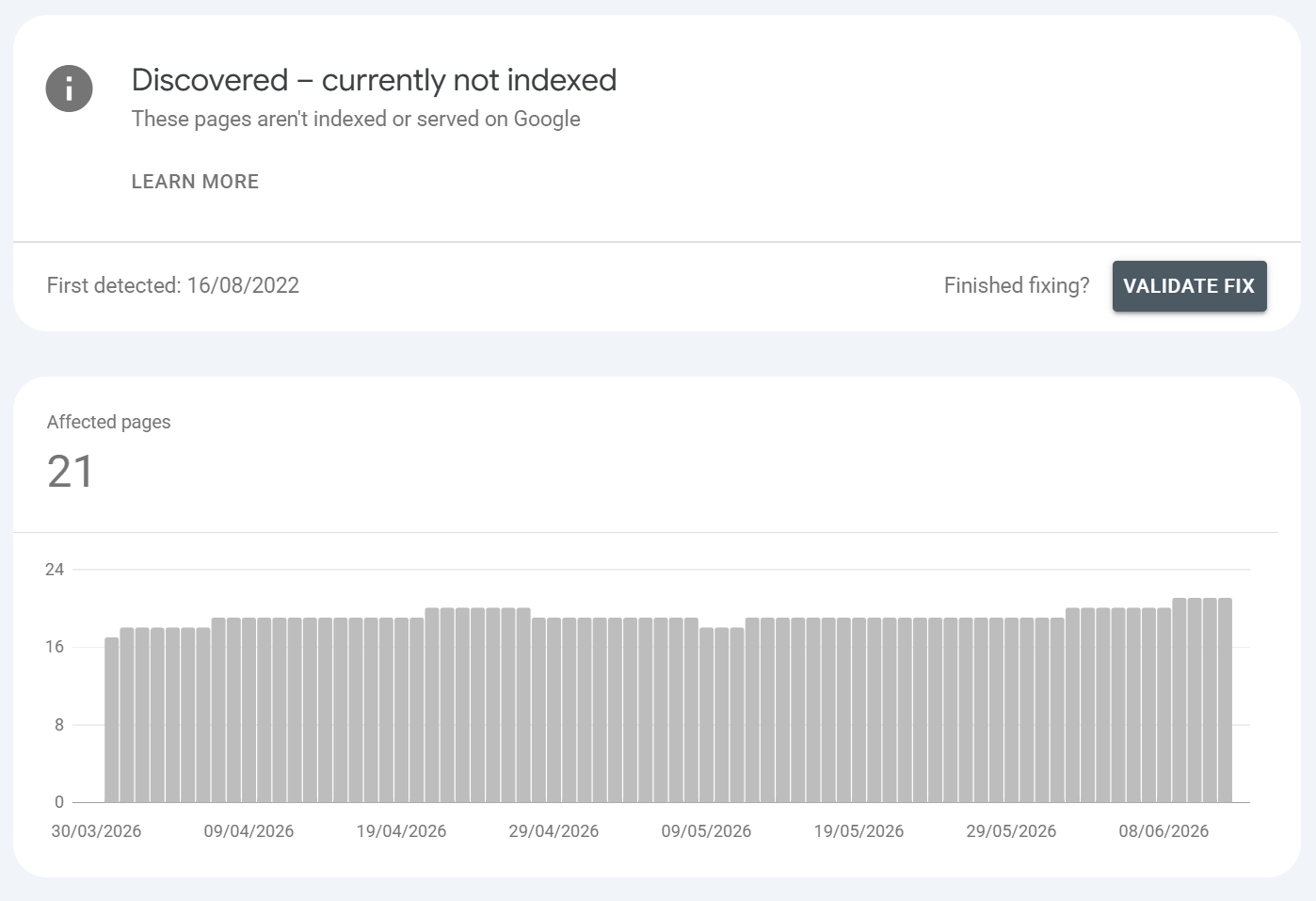
What is it?:
Google knows the URL exists but hasn't crawled it yet (last-crawl date is empty). This usually happens if Google has found content via discovering it (usually from the web) and if Google has deemed the content to not be of sufficient quality, depth or value (it can also be an authority issue). Typically, CRAWLED + DISCOVERED CURRENTLY NOT INDEXED are the same thing, just the method of how Google found the content is different.
Either way - this is usually an area that requires attention and shouldn't be left as this can be a quality indicator. Generally we advise to address anything that Google isn't indexing that pertains to quality, because as we know Google uses site quality as a broad overall score.
Generally, the most COMMON reason for Google discovering content and not indexing it is down to content quality, value, depth and overarching trust in the domain.
Common URLS found / Common causes:
Crawl budget / scheduling - large sites where Google rations crawling
Site speed / server strain - Google holds back to avoid overload
Weak internal linking - page buried many clicks from the homepage, few/no internal links
Perceived low value - Google sees little reason to prioritise it or is unlikely to serve it
Mass URL generation (faceted nav, infinite parameters) diluting crawl budget
AI content detection - Google may not index AI content, especially if there's no added value or perceived value
Content quality issues - poorly written, inaccurate content with little insight, value or depth
New pages simply awaiting their turn
Example: A new deep product page with no internal links pointing to it; thousands of paginated/parameter URLs Google never gets around to a page 8+ clicks from the homepage. I've made a video on cleaning up your websites index, this may help you with both crawled & discovered currently not indexed issues:
How to fix it?:
Strengthen internal linking link the page from high-authority, frequently-crawled parents (homepage, hub pages, related content).
Content audit - identify any pages that are weak, thin on content, add no end user value
Content YMYL/E-E-A-T audits - make sure content is factually correct, clear author, cited etc
Add it to (and keep it in) an accurate XML sitemap.
Improve crawl efficiency: fix slow responses, prune low-value/duplicate URLs eating budget, control parameter explosion.
Confirm it isn't accidentally render-heavy or resource-heavy.
Request indexing for genuinely important pages (but treat it as a hint re-submitting doesn't force it).
Earn external links to signal importance. Then be patient; this status can resolve on its own.
Other Related Indexing Statuses Worth Knowing
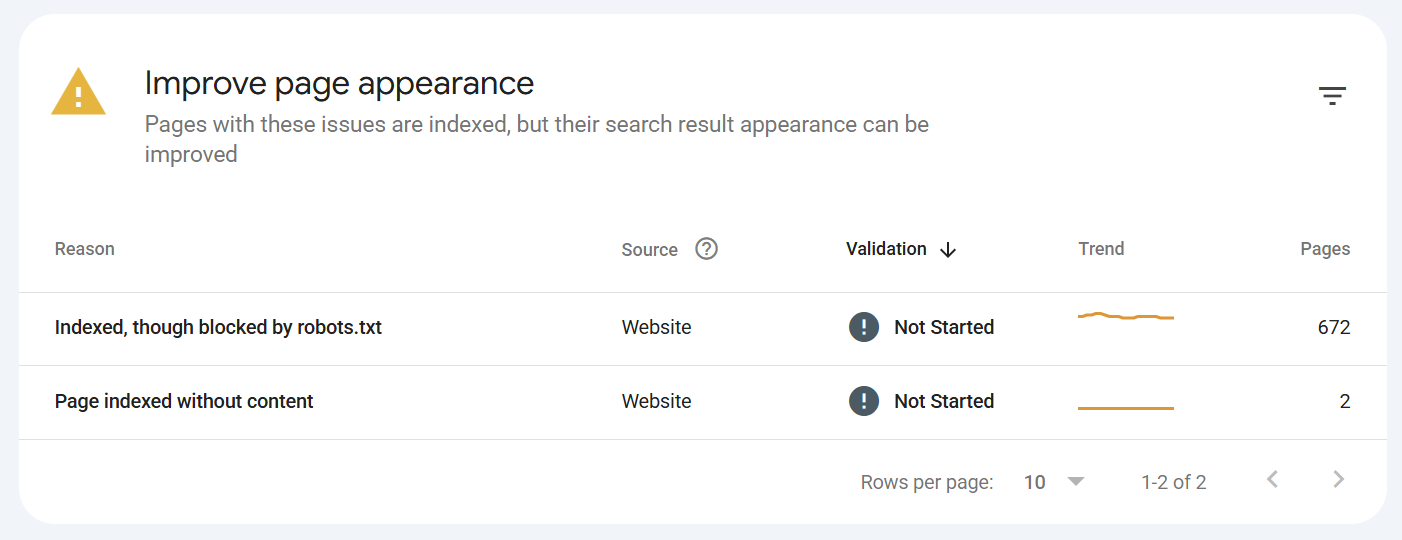
Page indexed without content
The page is indexed, but Google couldn't read its content (blank/cloaked/render failure/unsupported format). Fix rendering and serve real HTML content. Treat as urgent it's indexed but uselessIndexed, though blocked by robots.txt
Google indexed the URL (usually from external links) despite being unable to crawl it, so it has no content/snippet. To remove it: unblock in robots.txt and addnoindex, since a blocked page can't have its noindex seenURL is unknown to Google
Appears in URL Inspection Google has never discovered the URL. Add internal links and include it in a sitemap, then request indexing.Crawl request pending / Indexing request submitted
Transient states after you request indexing no action, just wait.
How to use Googles Page Inspection Tools
As a little end of article bonus - here is a video on using Google's Page Inspection tools: